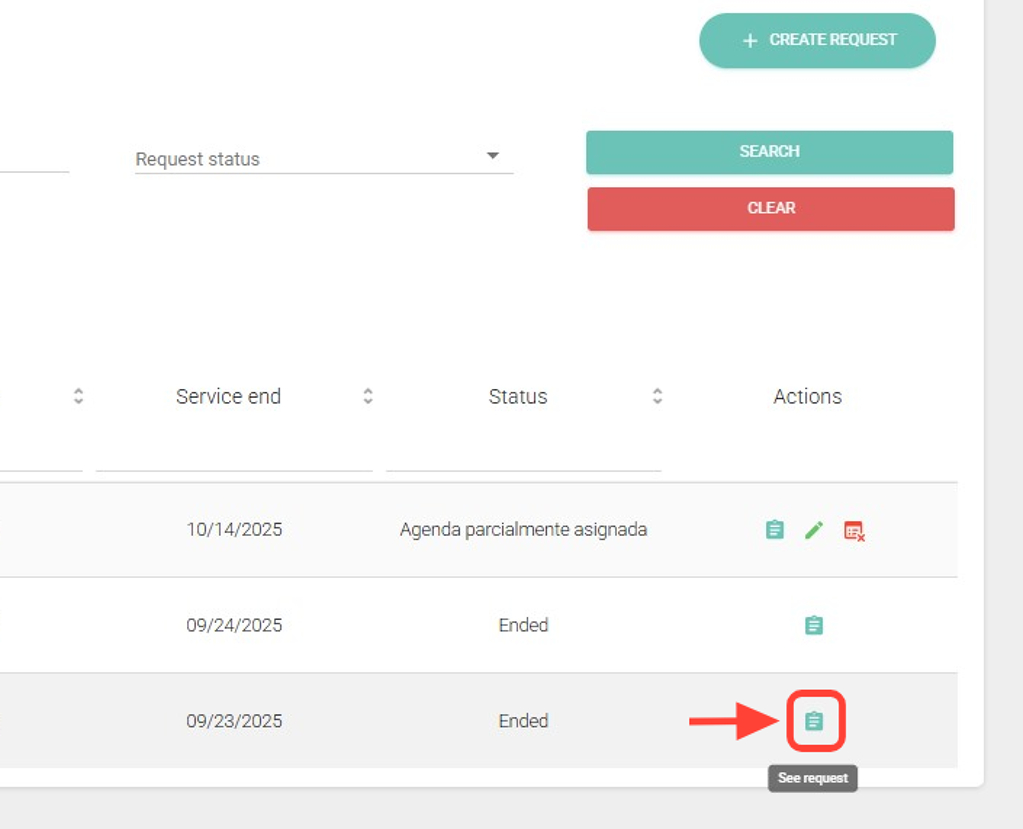
2. Search for the request you want, and in the Actions column, click View Request.
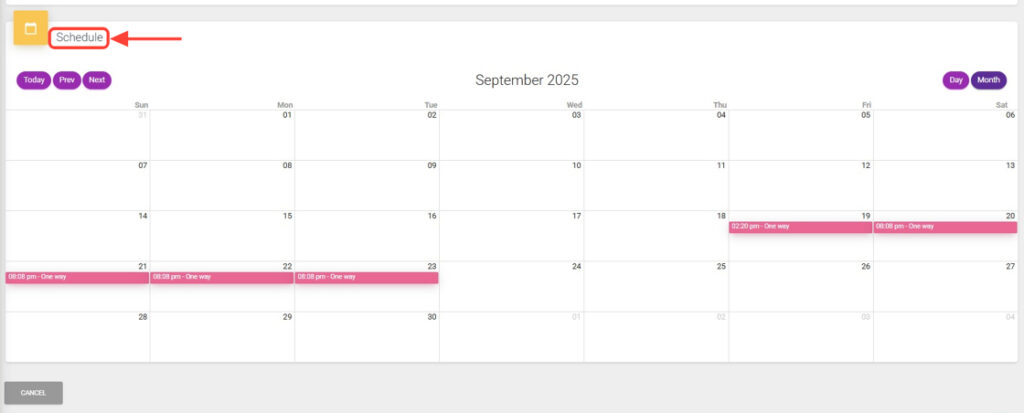
3. Go to the Schedule table to view the transfers of the request.
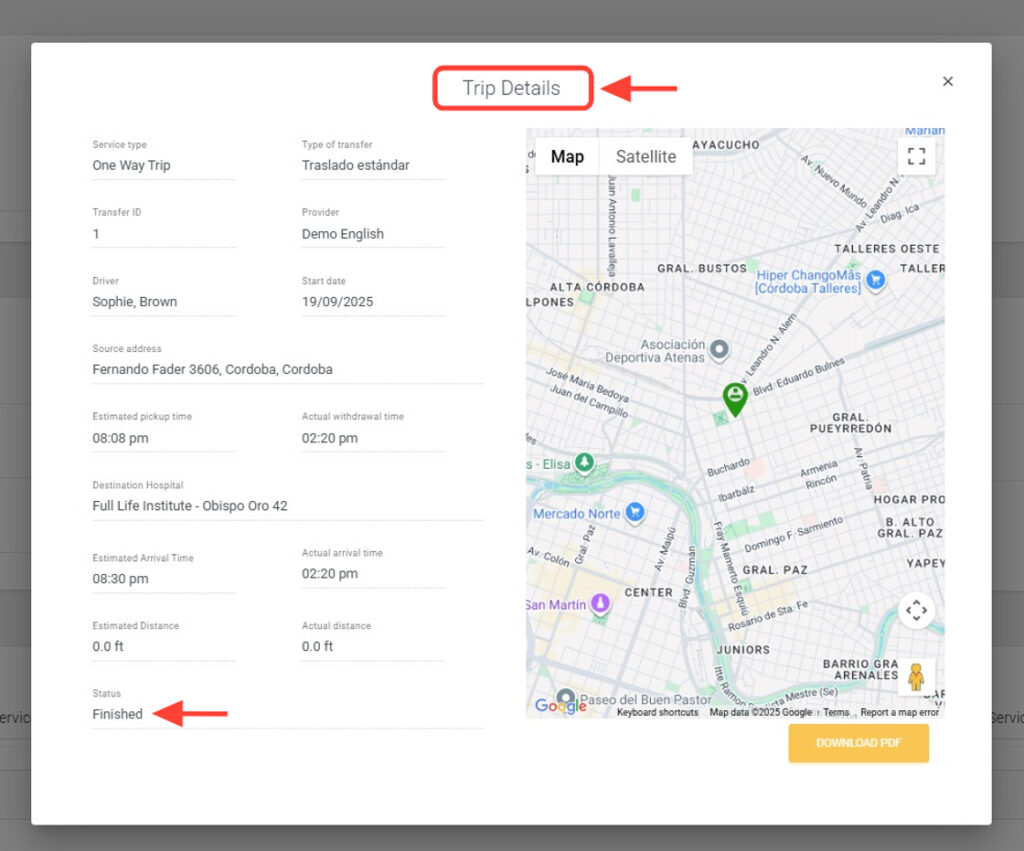
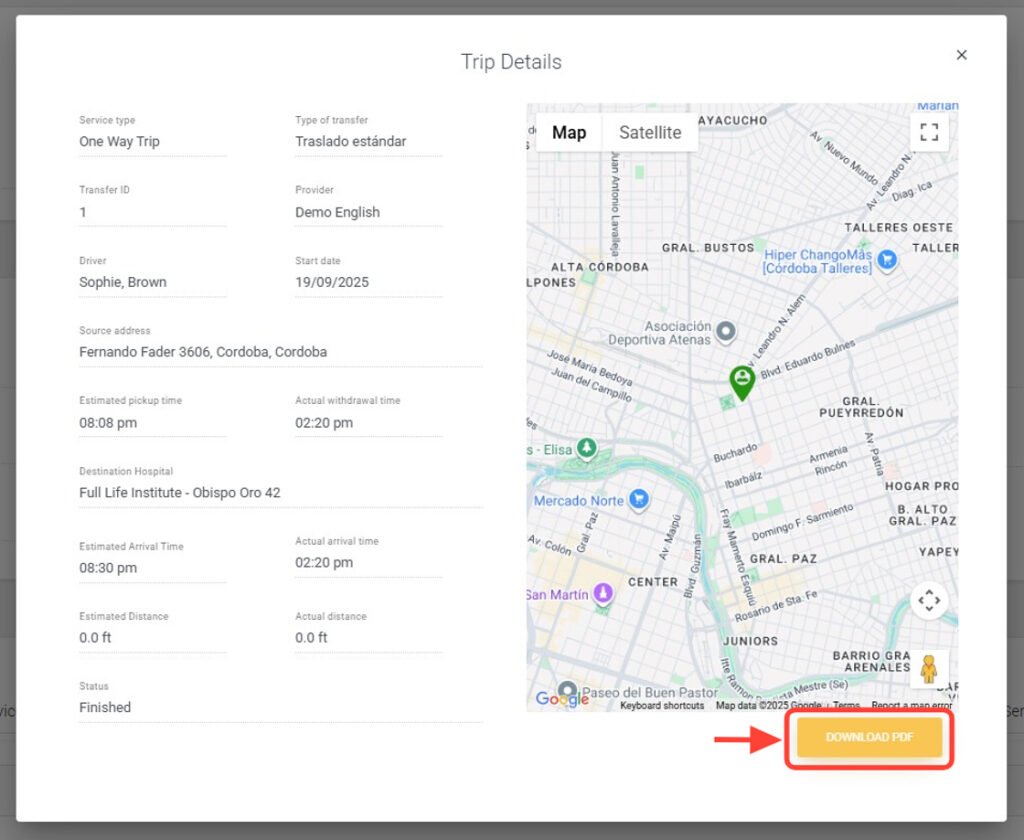
4. Click on the completed transfer to view the trip details.
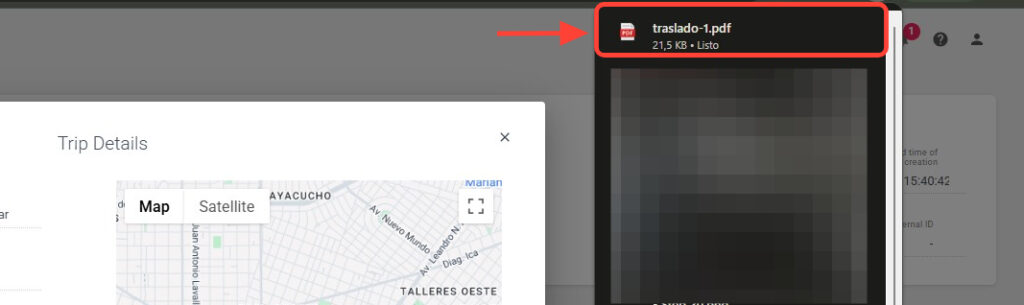
5. Click Download PDF.
6. The PDF will be downloaded to your computer.