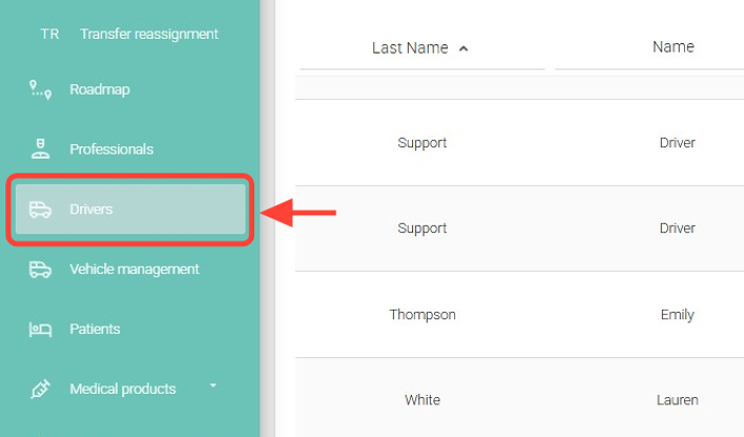
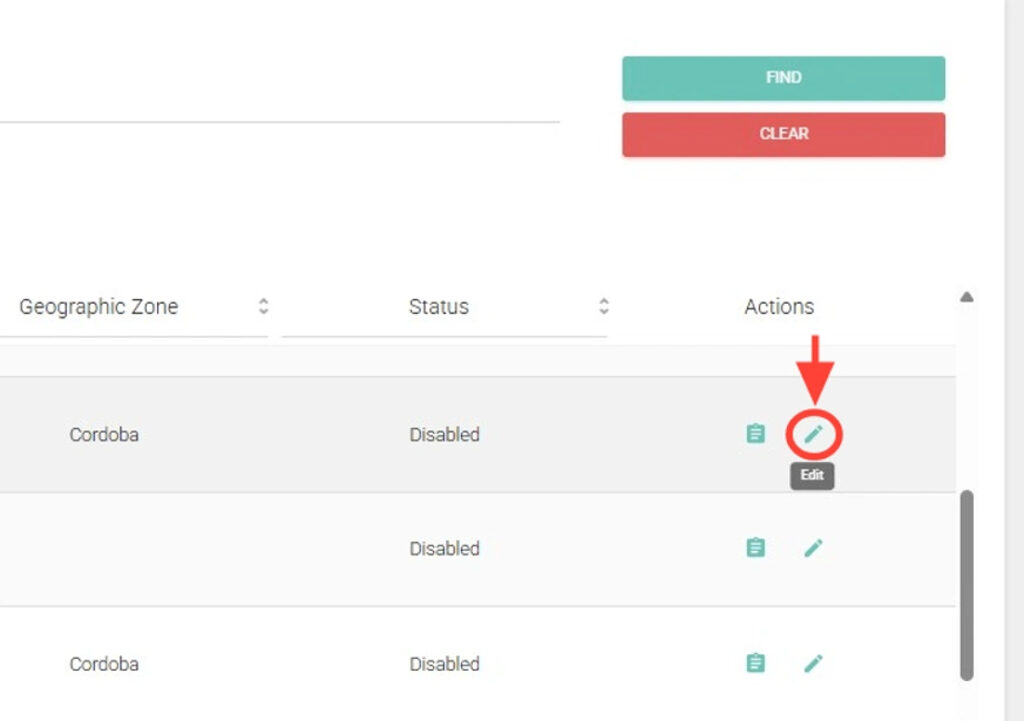
2. Search for the driver you want, and in the Actions column, click Edit.
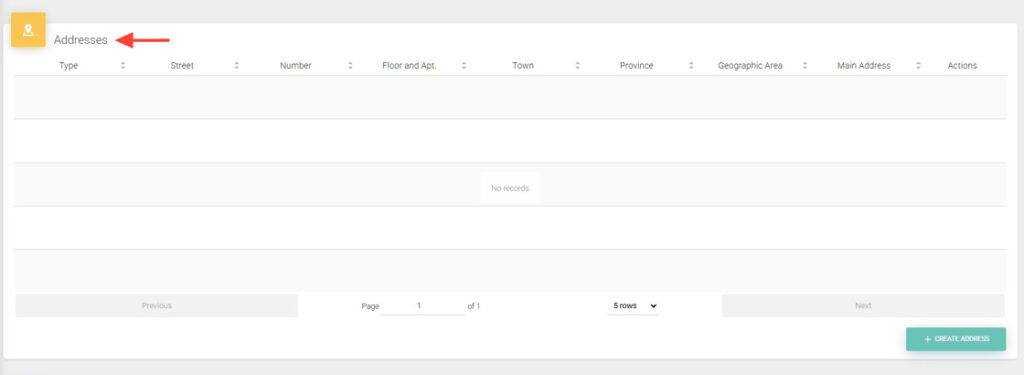
3. Go to the Addresses table.
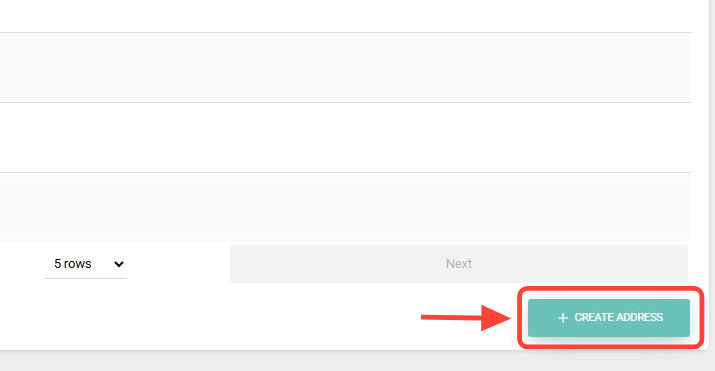
4. Click the + CREATE ADDRESS button.
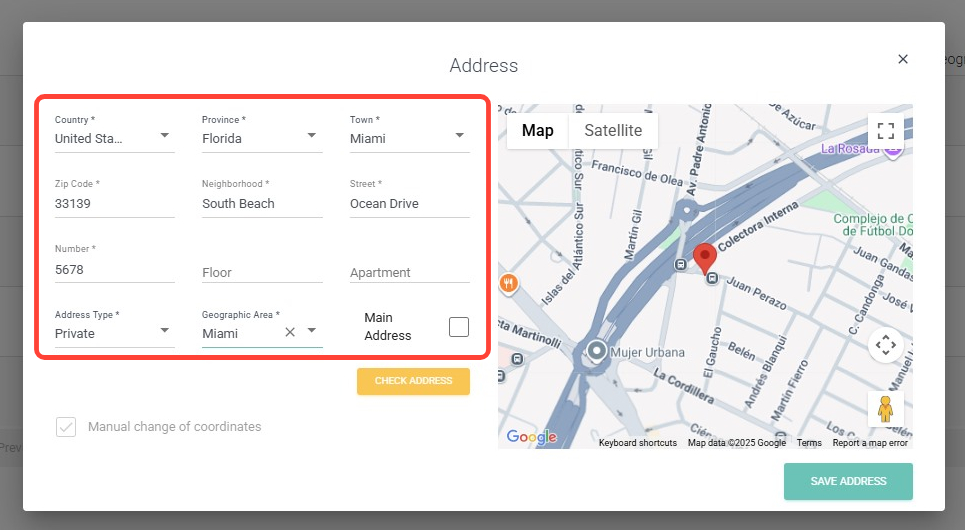
5. Fill in the required fields marked with an asterisk: Country, Province, City, Postal Code, Neighborhood, Street, Number, Address Type, and Geographic Zone.
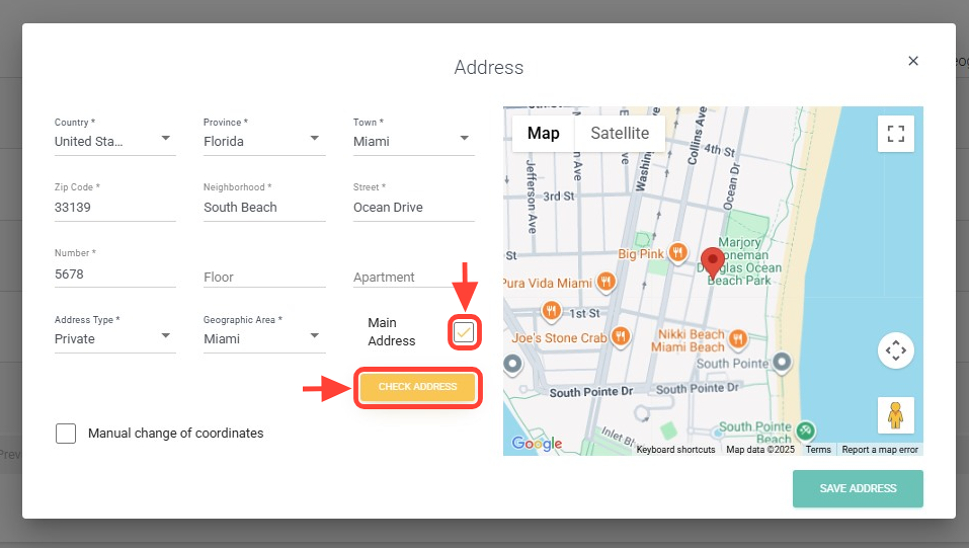
6. Check the Primary Address box if it is the main address, and click Check Address.
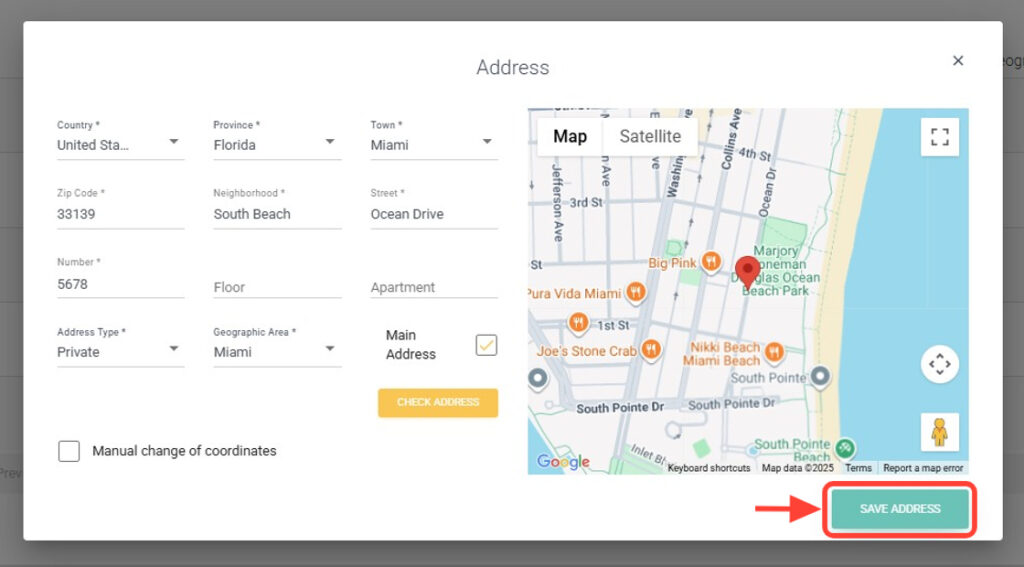
7. Click Save Address. The address will be saved. Keep in mind that you can add more than one address.