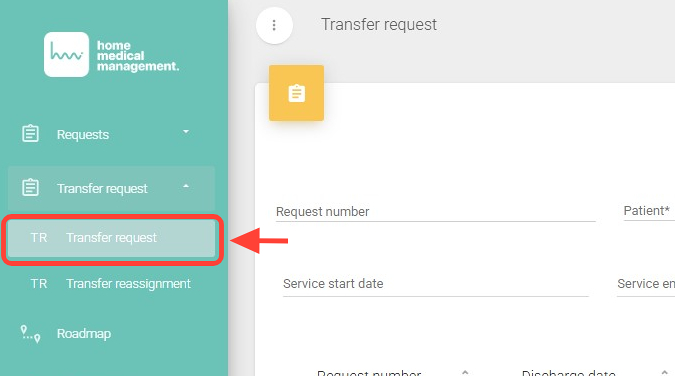
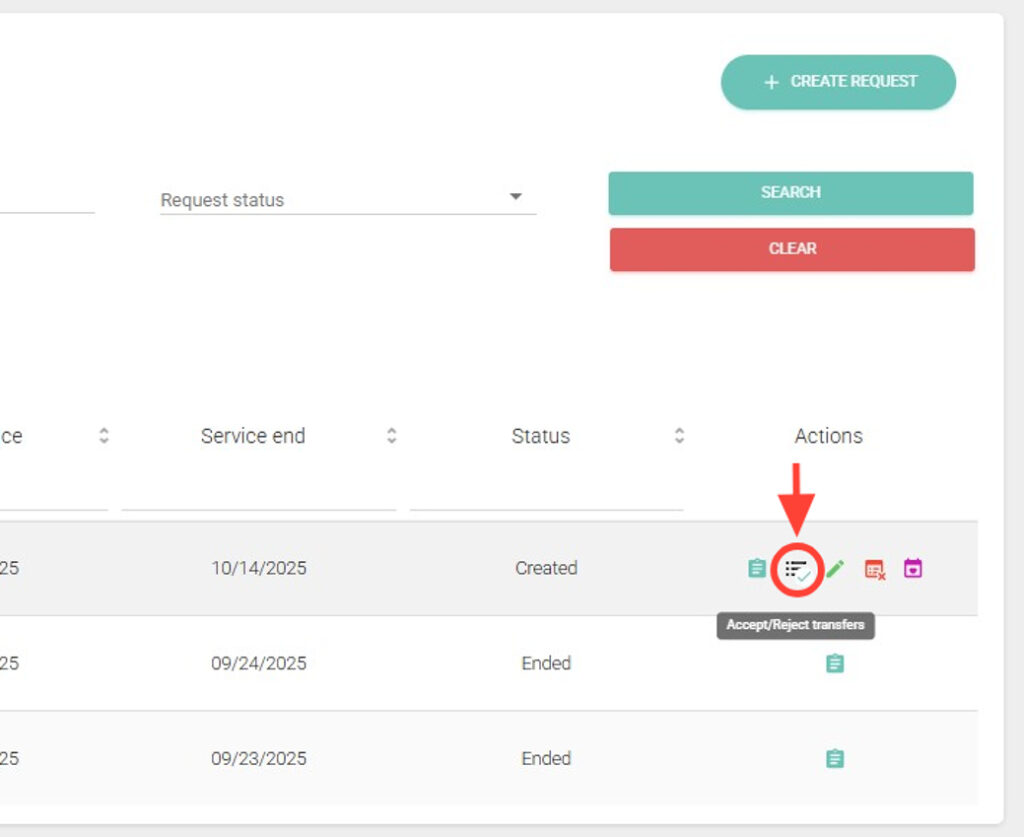
2. Within the Transfer Request section, in the Actions column, click Accept/Reject Services.
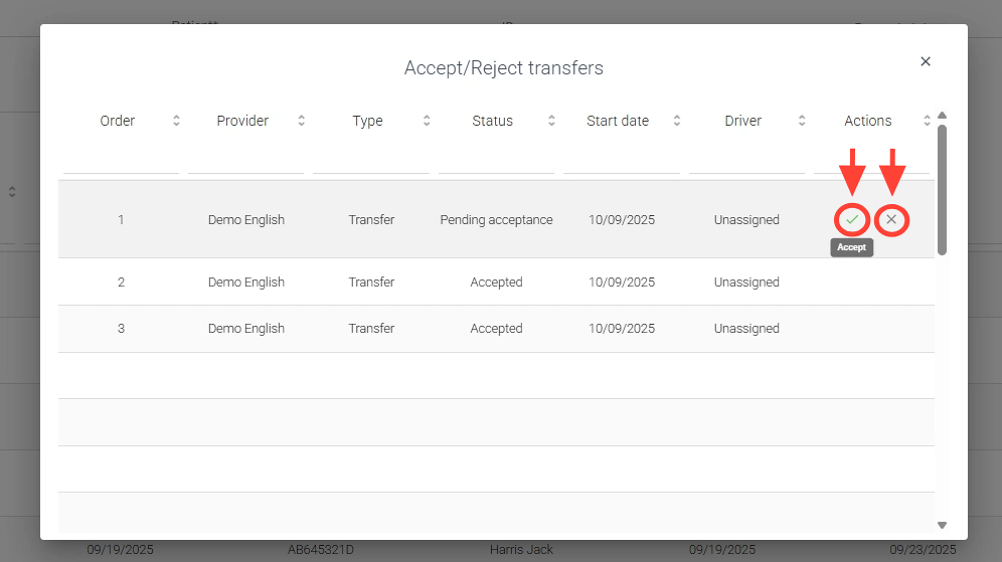
3. Inside the request, in the Actions column, select whether you want to accept or reject the required services.
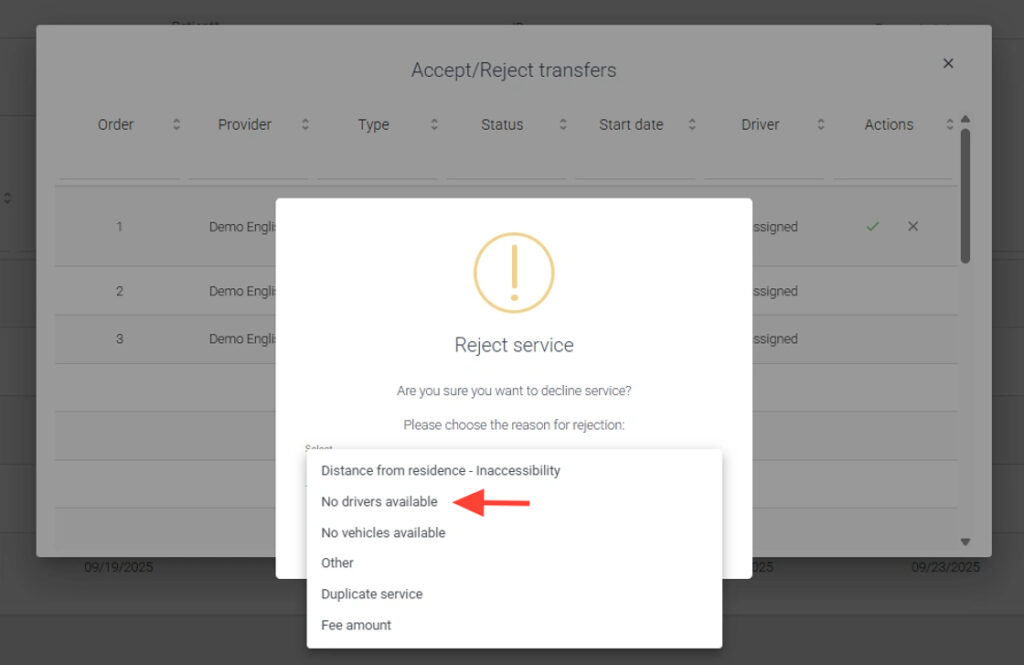
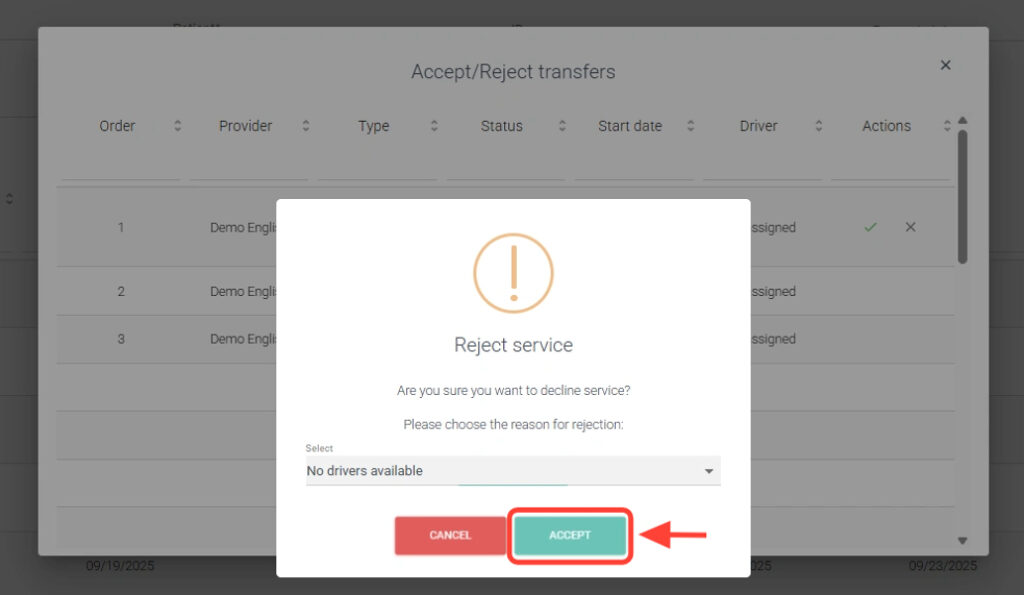
4. If you choose to reject, you must select a reason.
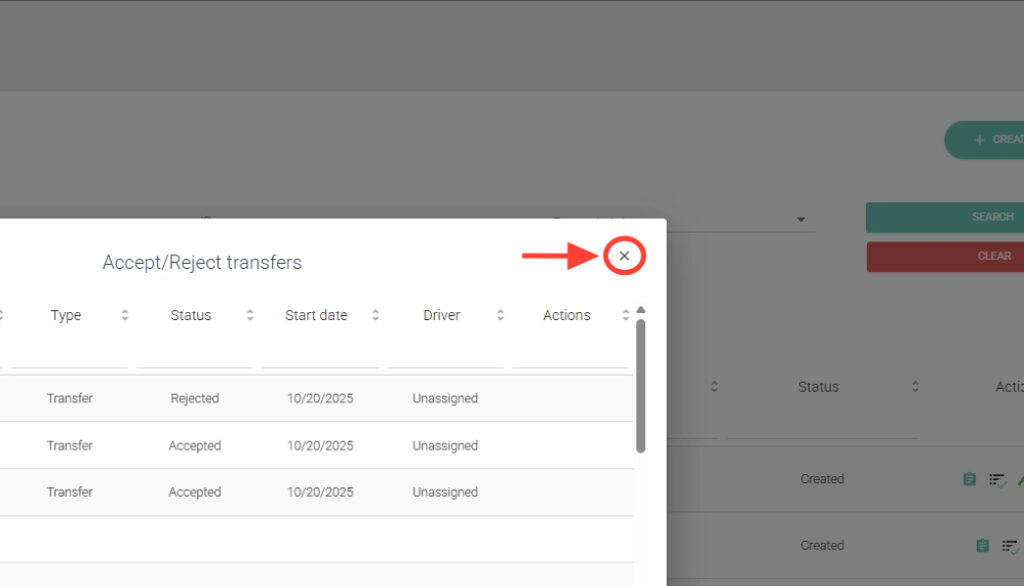
5. Click Accept, and the service will be marked as Rejected.
6. Click the X to close the section.