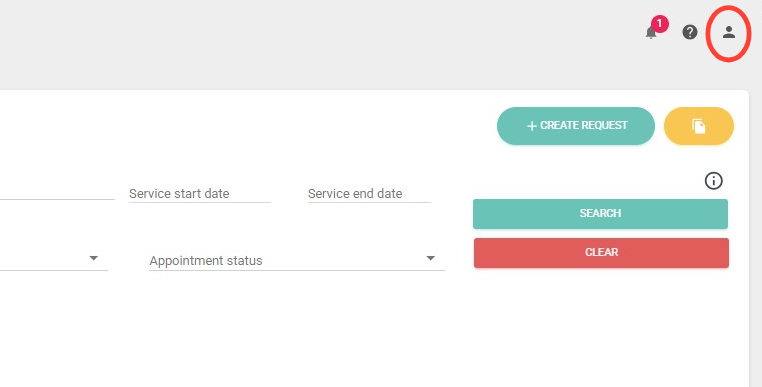
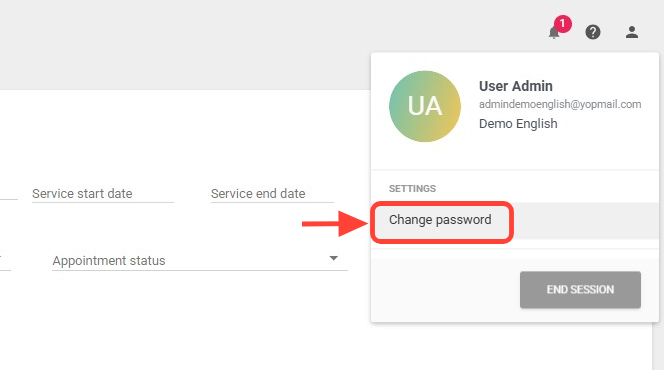
2. Click the Change Password option.
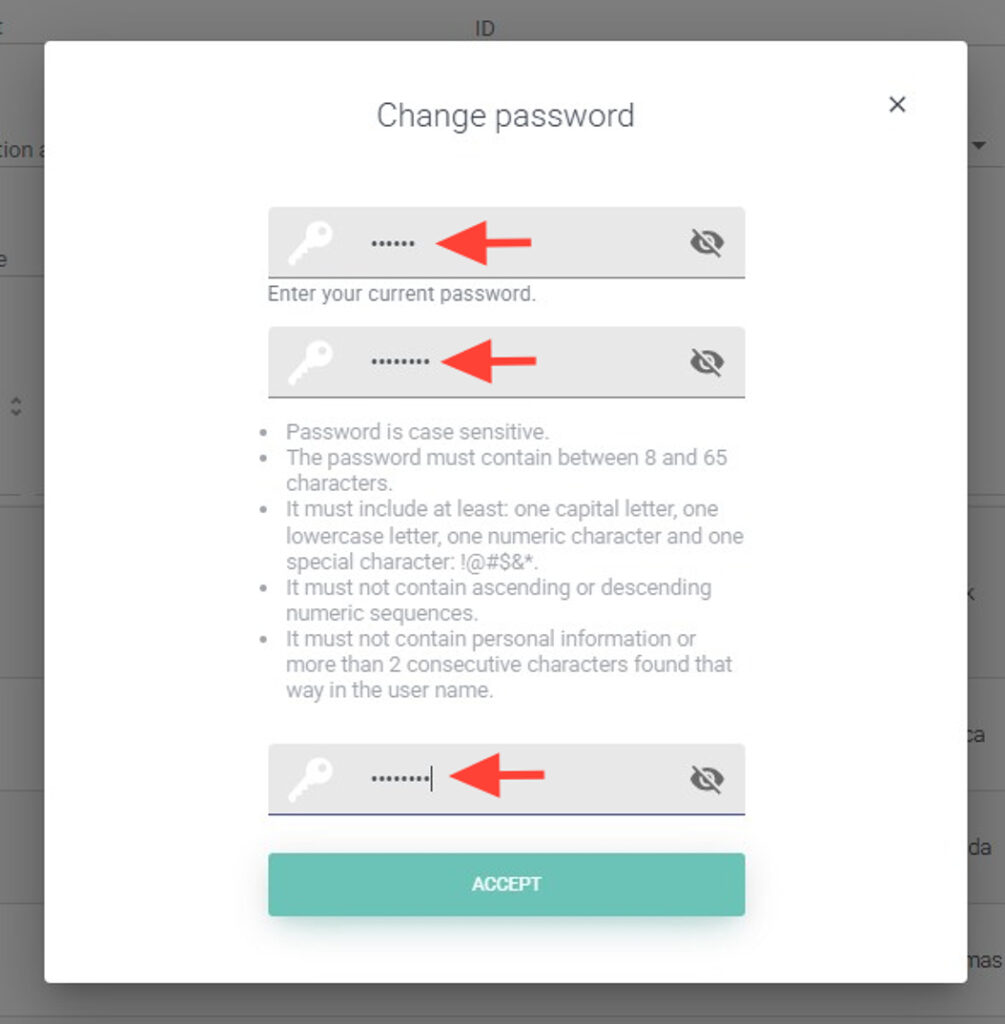
3. Enter your current password, then type the new password. Repeat the new password to confirm it.
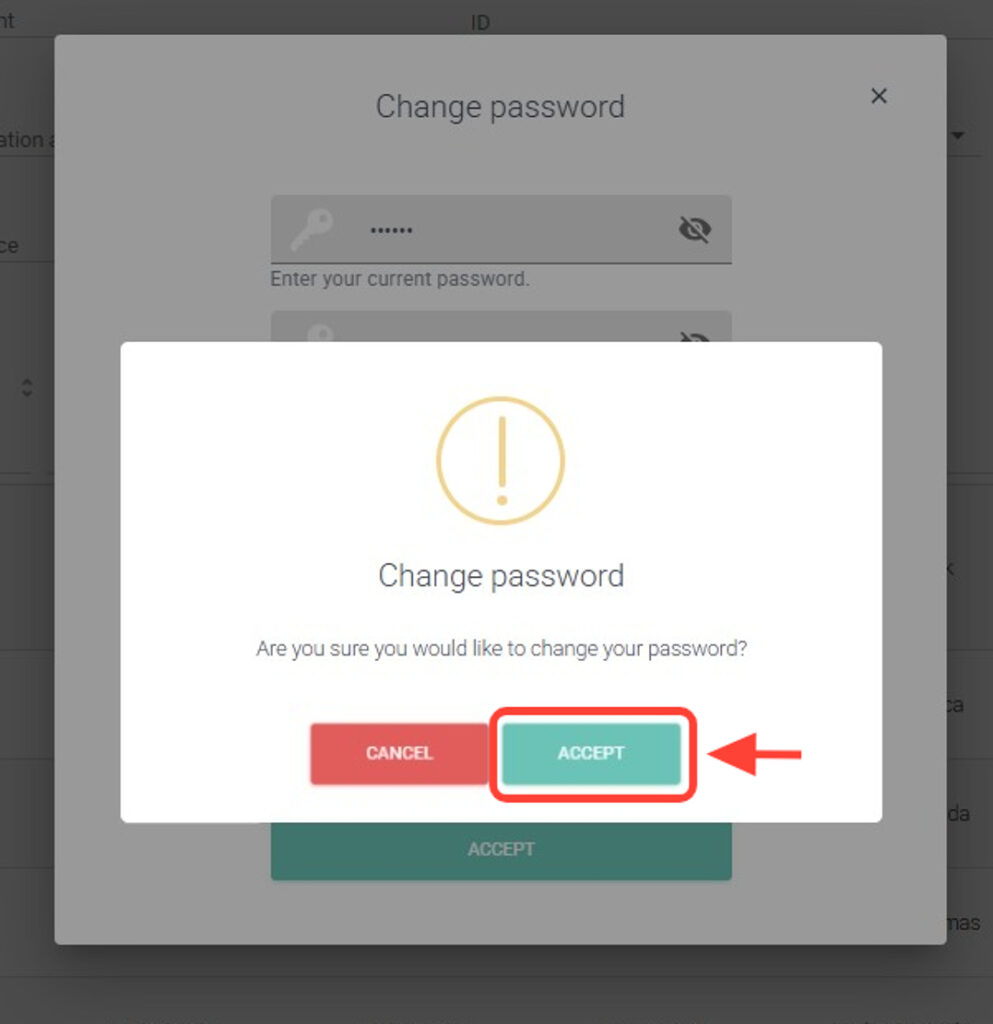
4. Finally, click the Accept button.