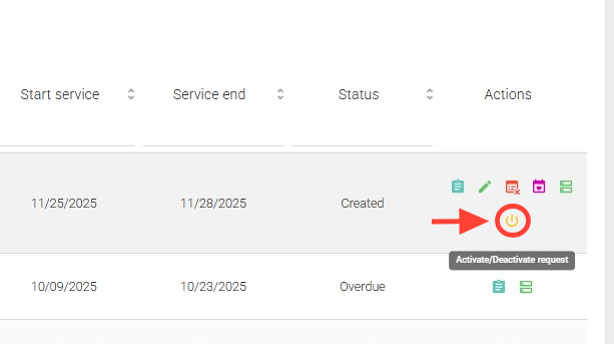
2. In the Actions column, click the Activate/Deactivate request button.
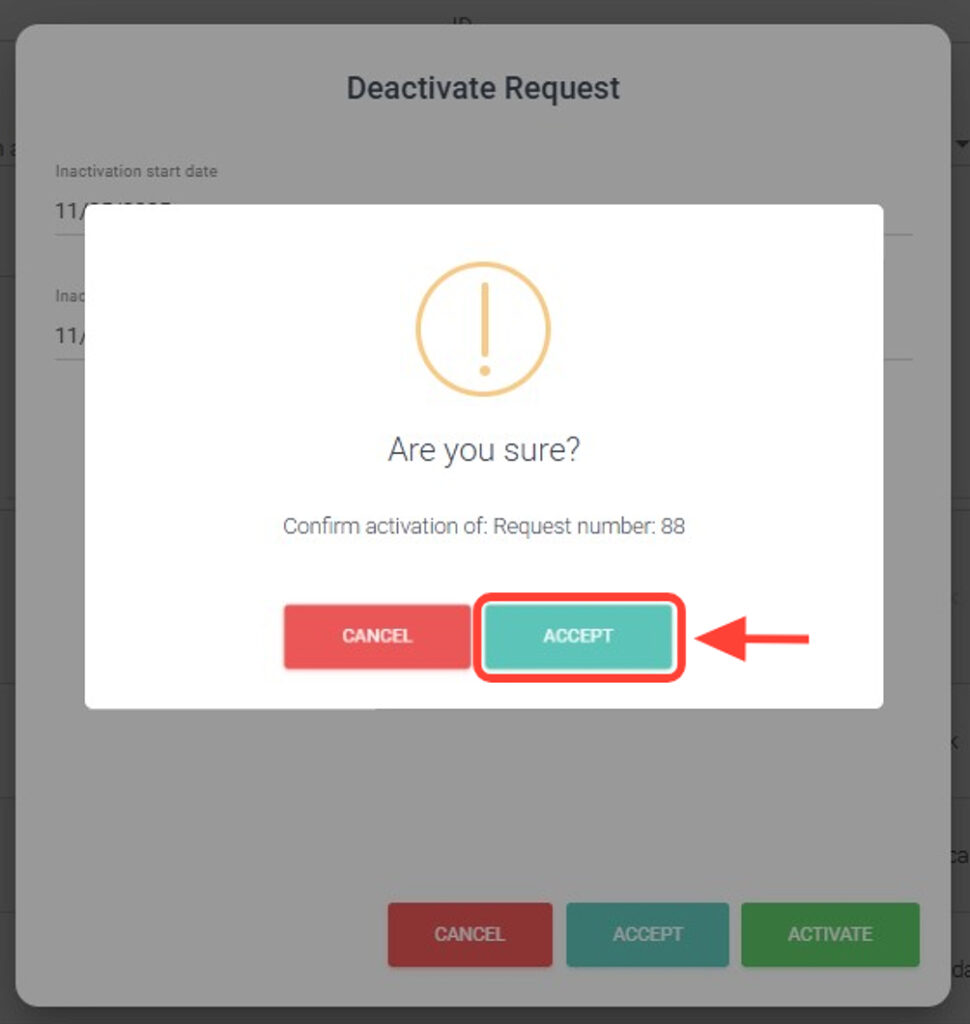
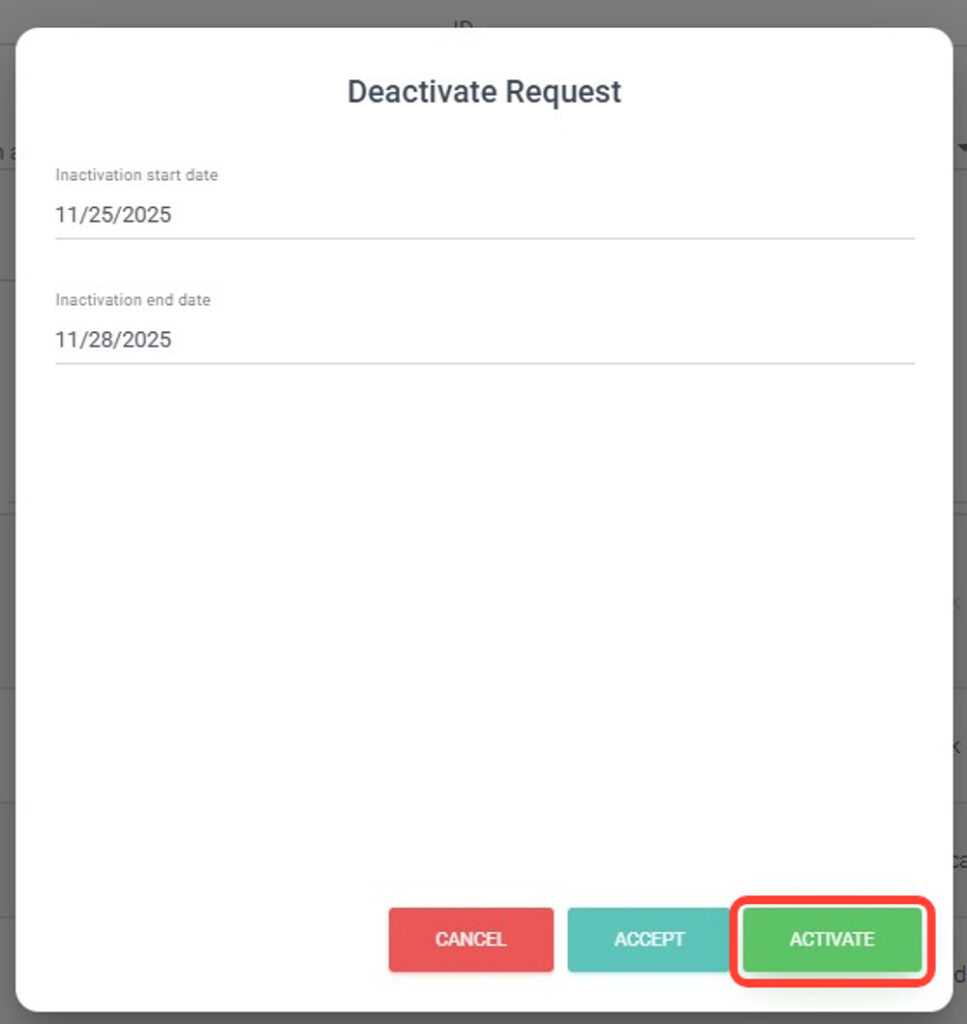
3. To deactivate a request: select the start date and end date for the deactivation, then click Accept.
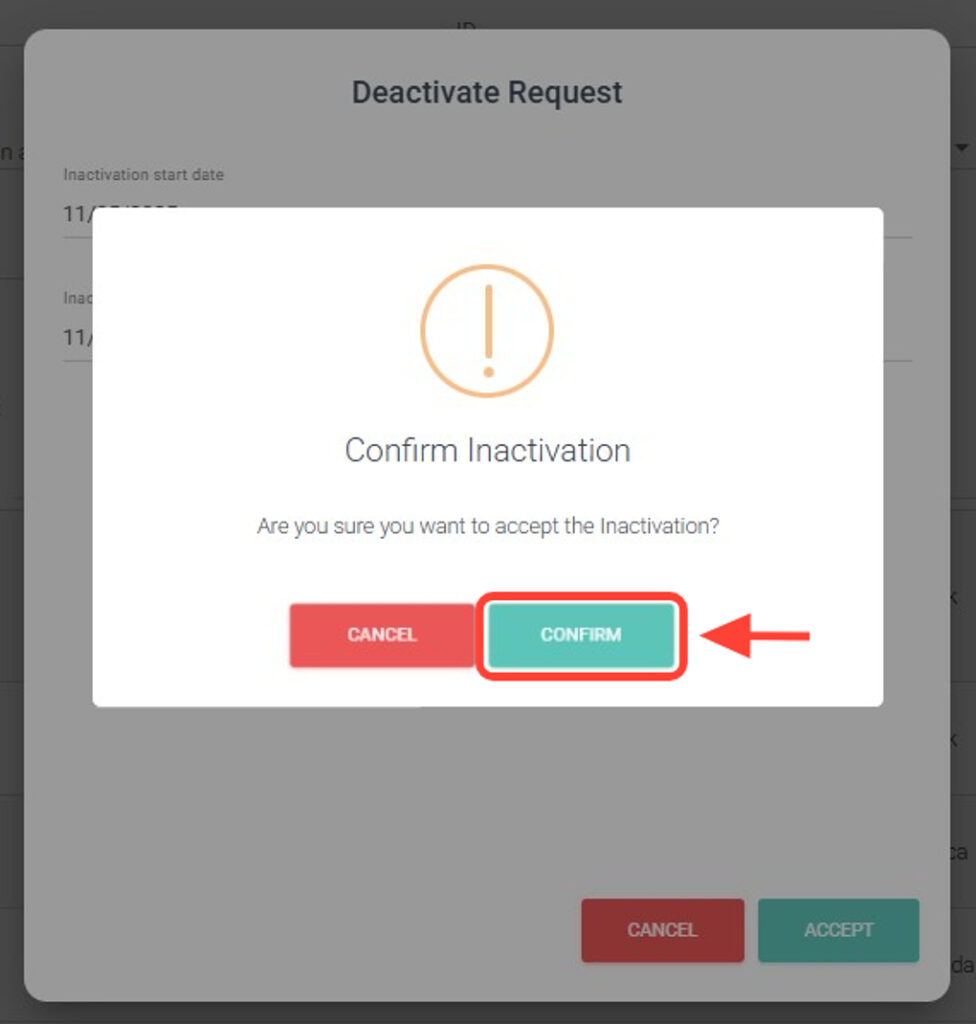
4. Finally, press “Confirm”.
5. To activate an inactive request: follow the same procedure and click Activate.
6. Finally, press “Confirm”.
7. To search for requests by their status (Active or Inactive), use the filters and click Search.