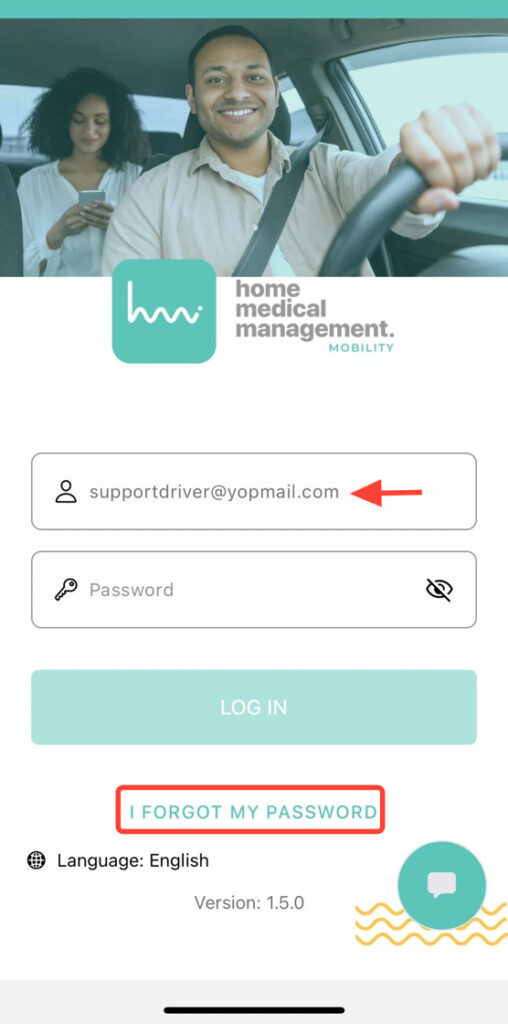
On the Login screen, enter your email in the User field. Click Forgot my password.
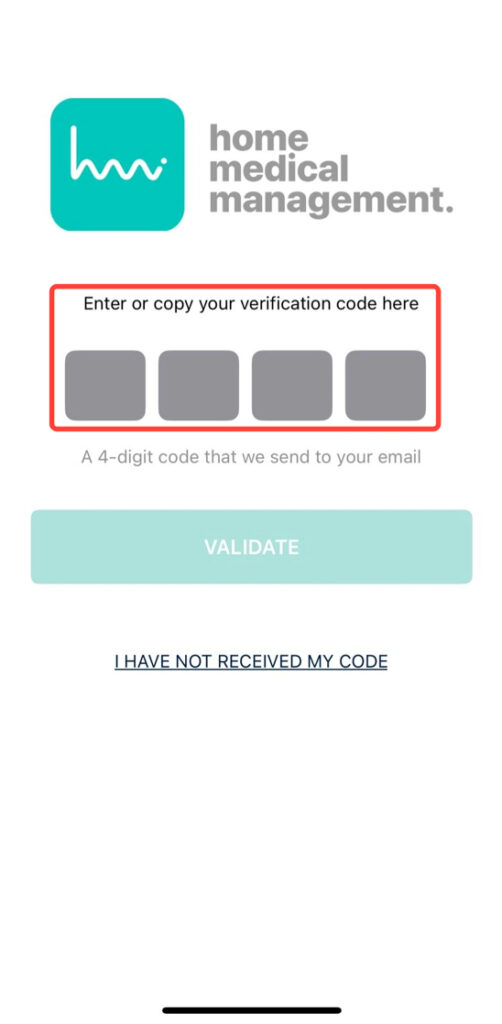
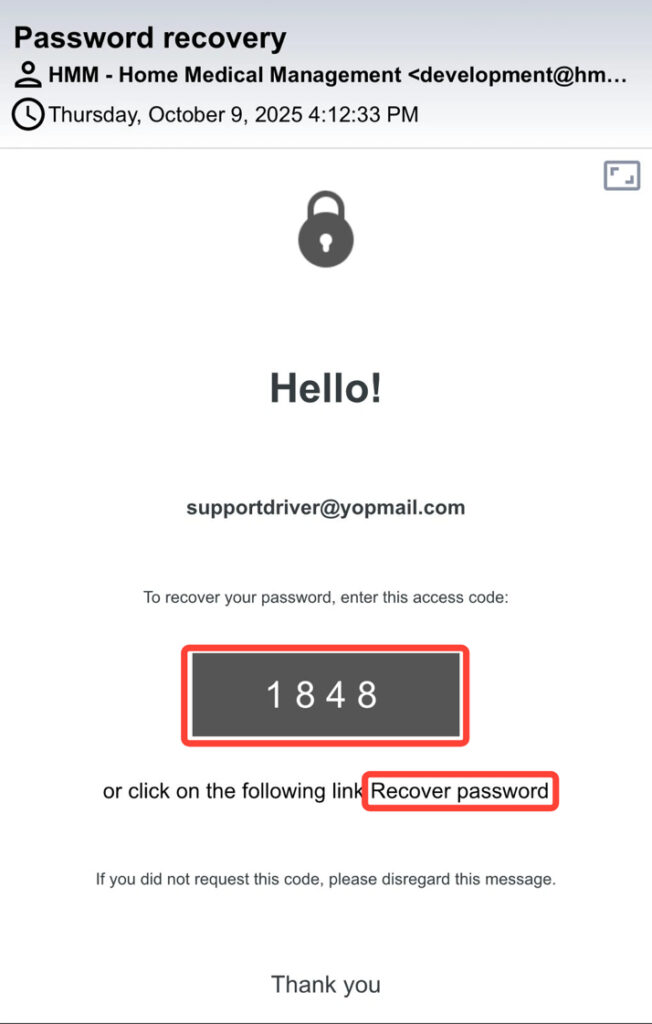
2. You will receive a 4-digit code in your email. Open the email to view it.
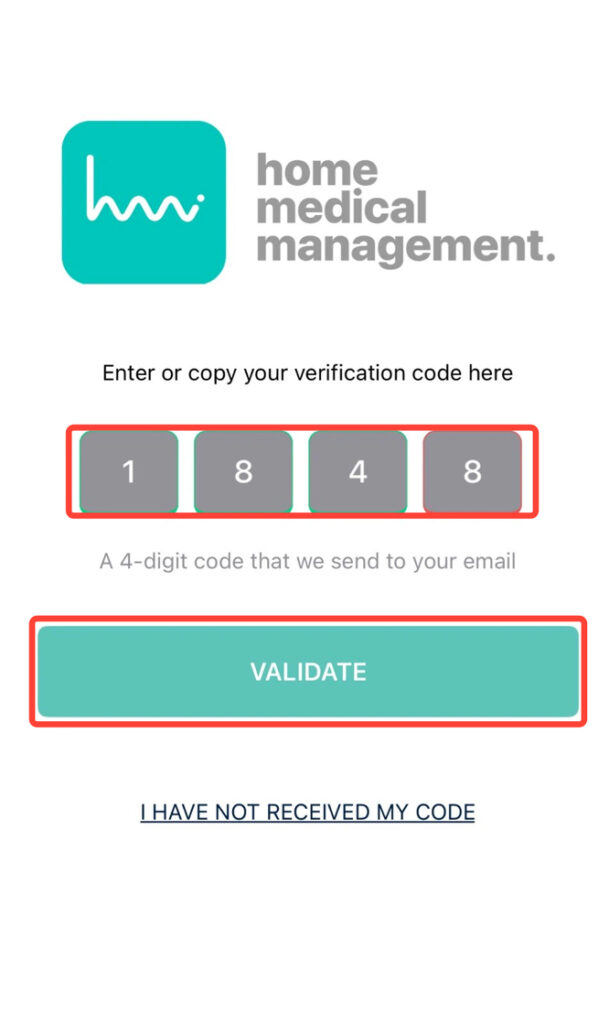
3. Enter the code in the app using either of these methods: by copying the code into the four fields, or by clicking Recover password directly from the email to generate a new one.
4. Insert the 4-digit code and press Validate.
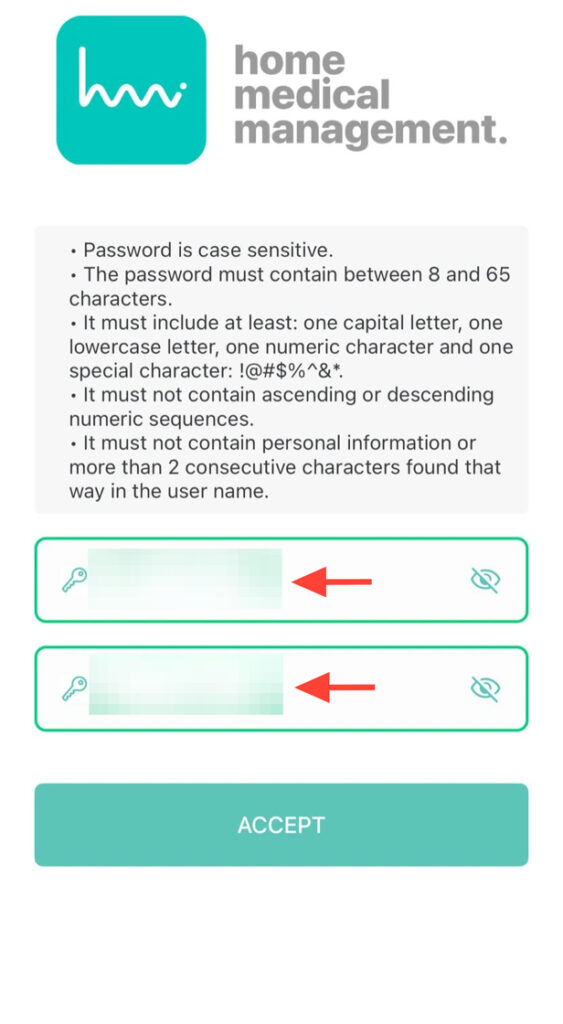
5. Type your new password and click Accept to complete the process and restore your access.
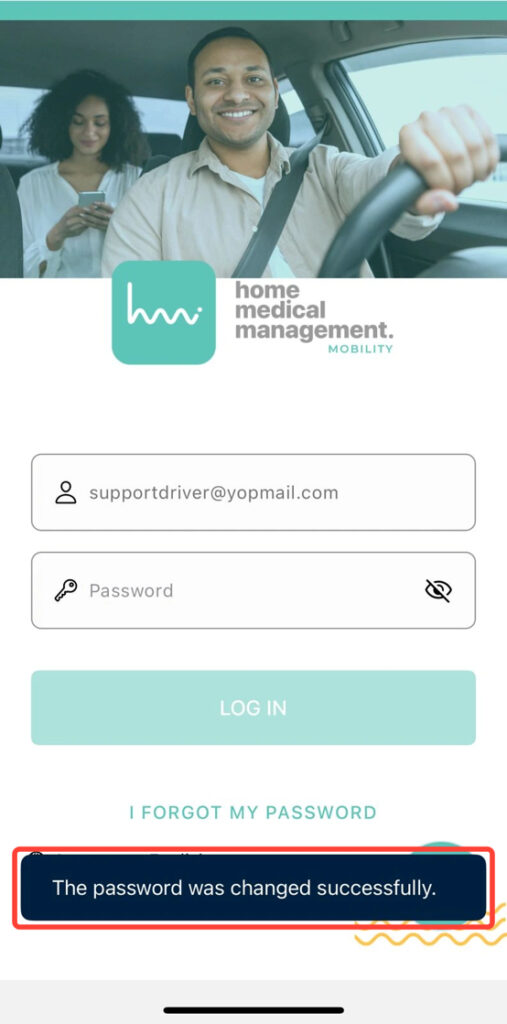
6. At the bottom of the screen, you’ll see a notification confirming that your password has been successfully reset.