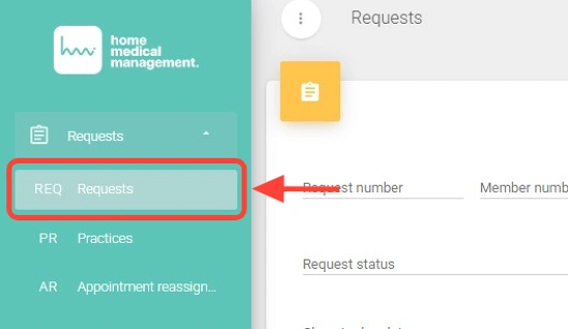
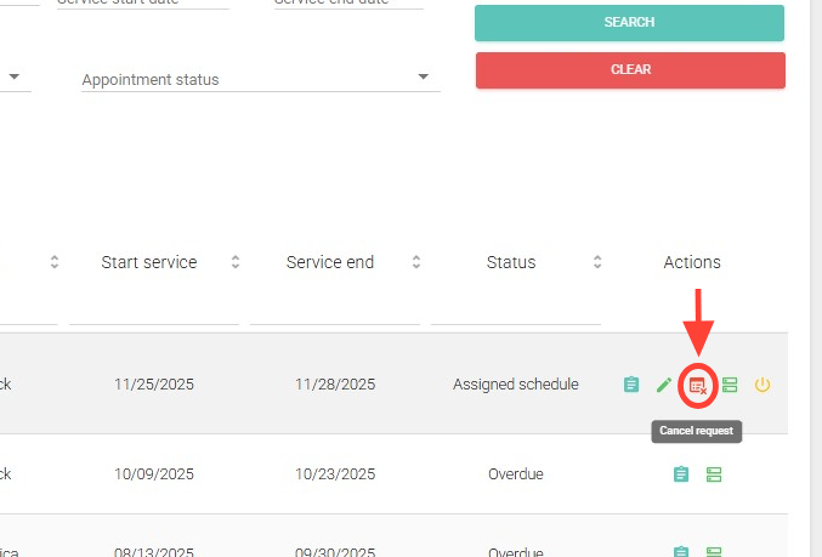
2. In the Actions column, click the calendar icon with a cross to cancel the request.
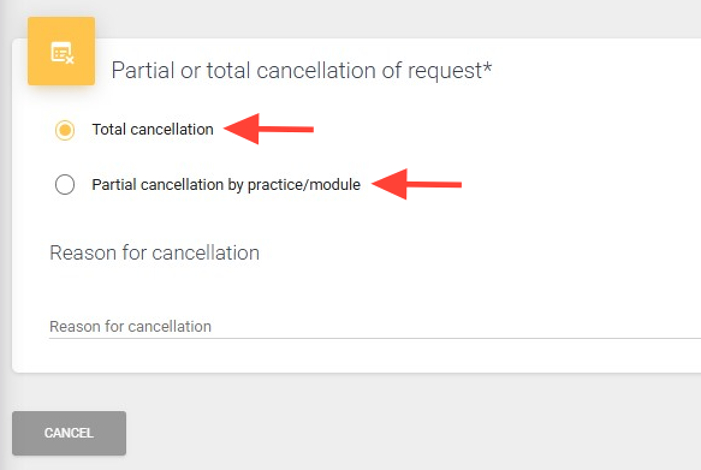
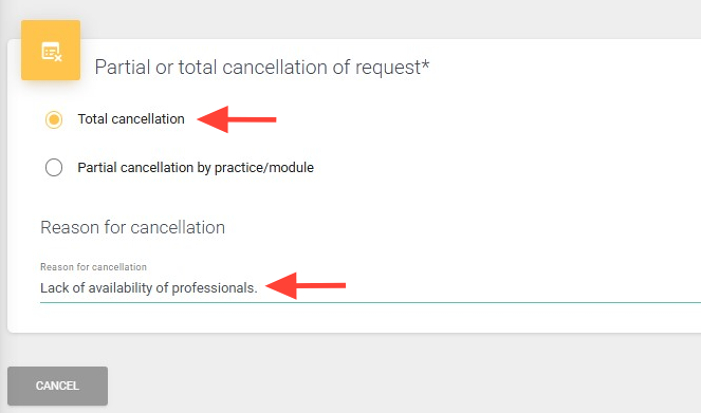
3. Choose the type of cancellation:
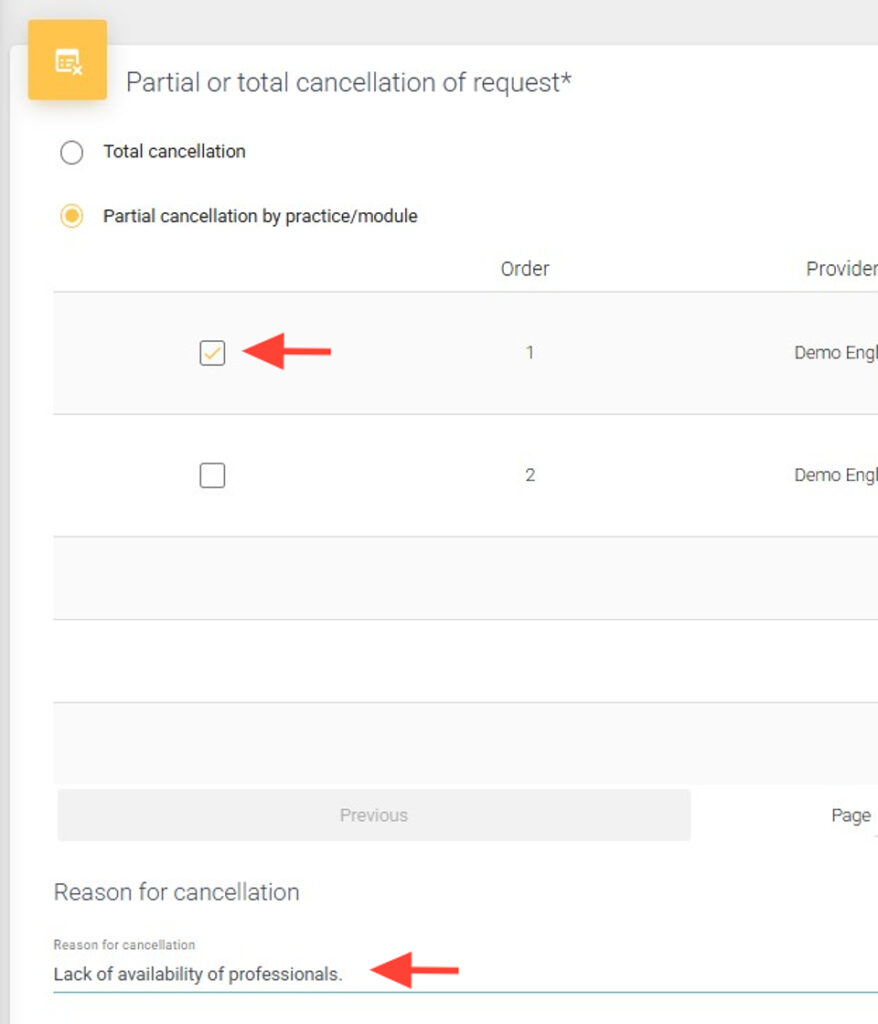
4. Partial cancellation by practice/module: select the practices or modules to cancel, write the reason, and click Accept.
5. Total cancellation: enter the reason and click Accept.
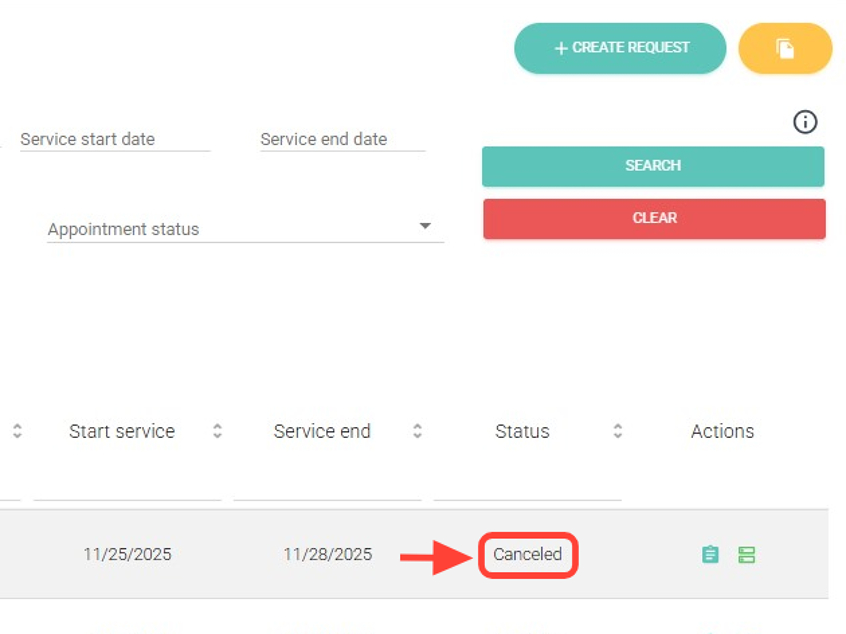
6. The request will be canceled according to the option you selected.