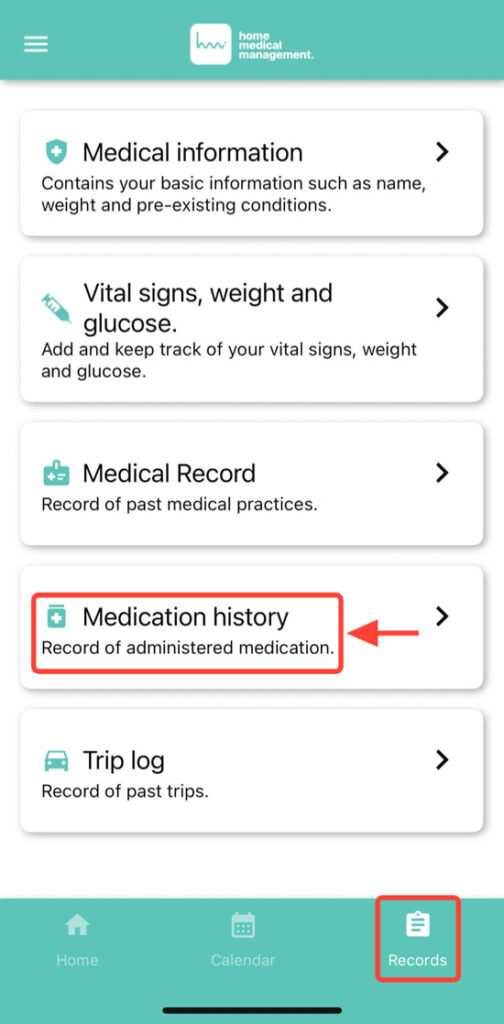
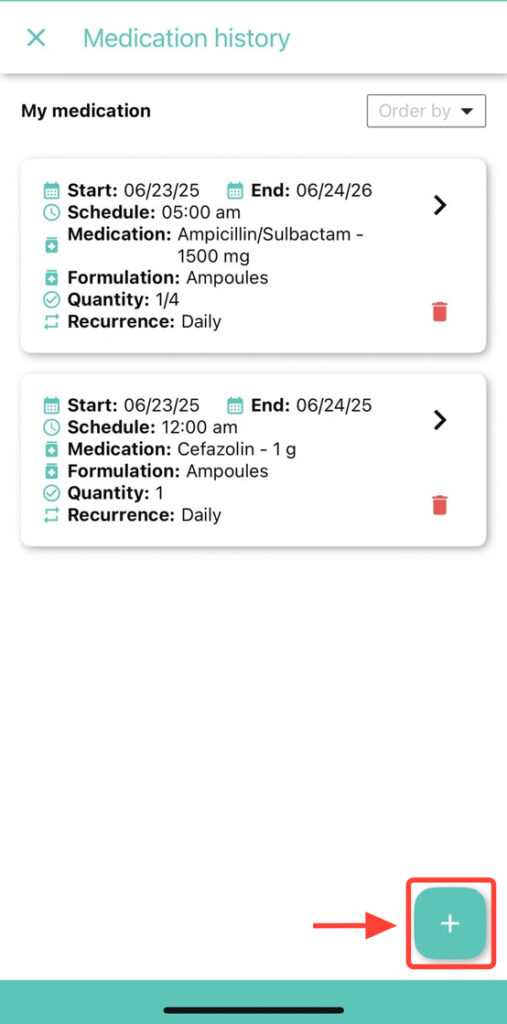
2. Tap the + button to start recording a new medication.
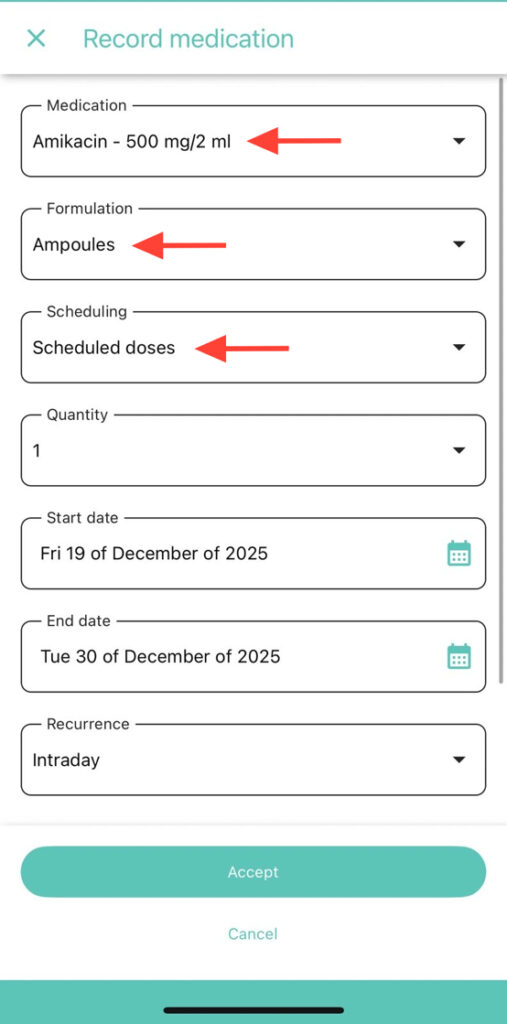
3. Choose the medication, its form, and the schedule.
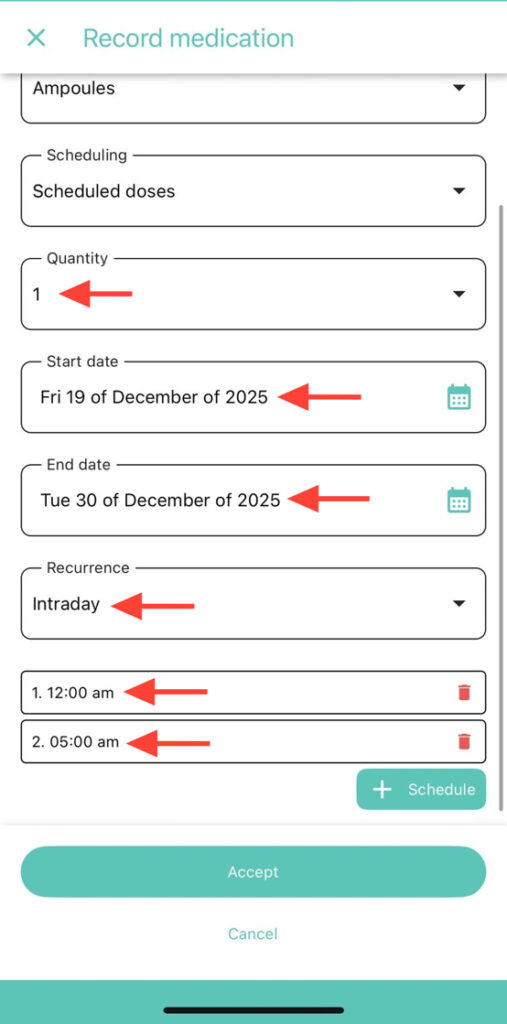
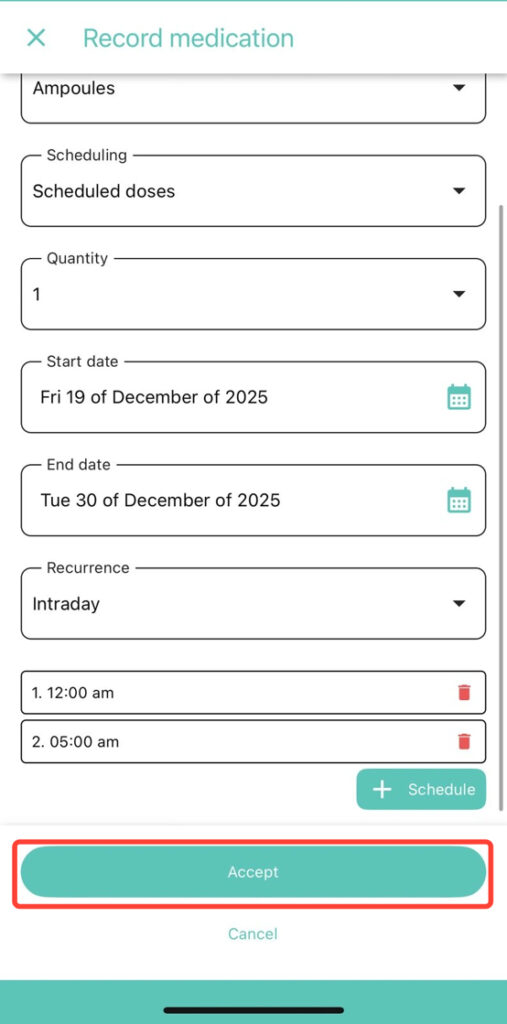
4. If you choose As needed, no schedule is required. If you choose Scheduled doses, select the amount, start date, recurrence, and schedule.
5. Click OK to successfully register the medication.
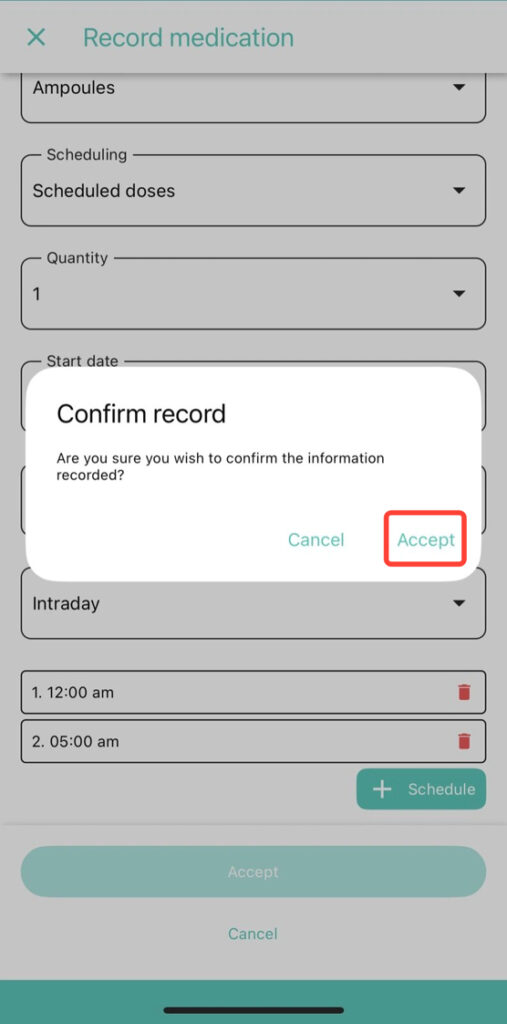
6. Click Accept to successfully register the medication.