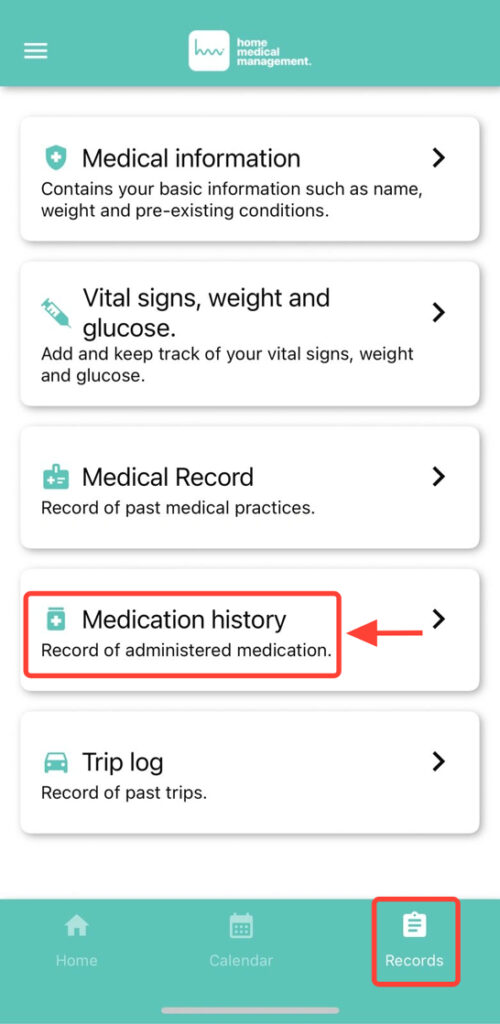
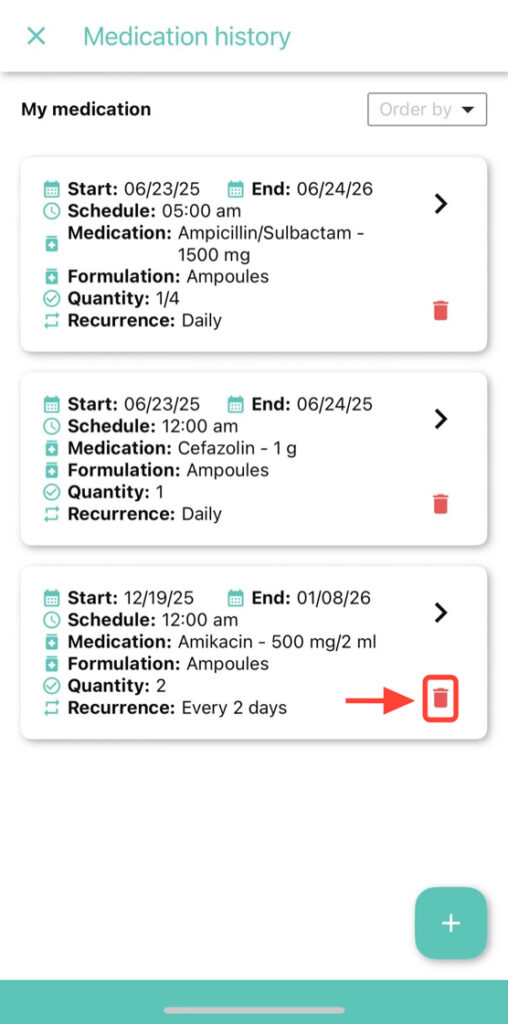
2. Find the medication you want to remove and click on the trash can icon next to the selected medication.
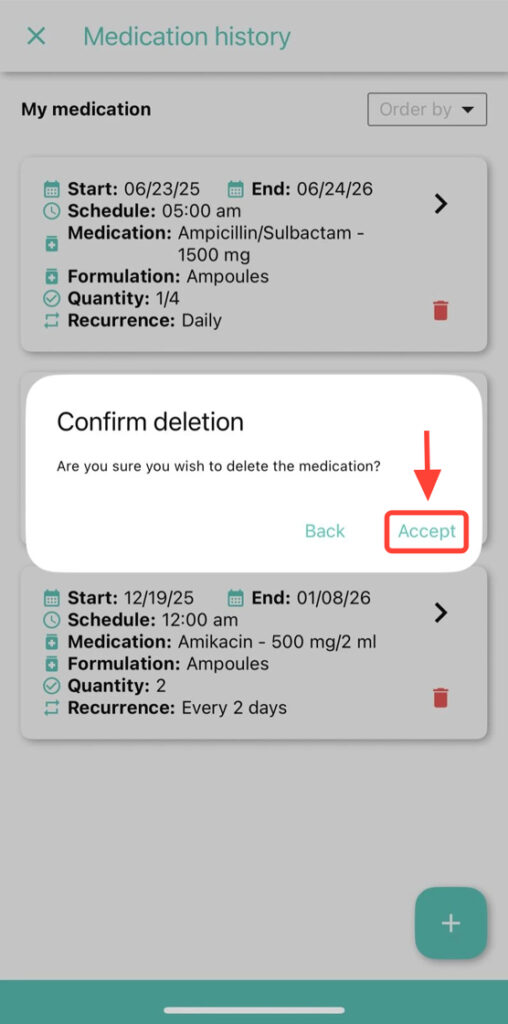
3. Tap Accept to confirm and delete the medication from the history.