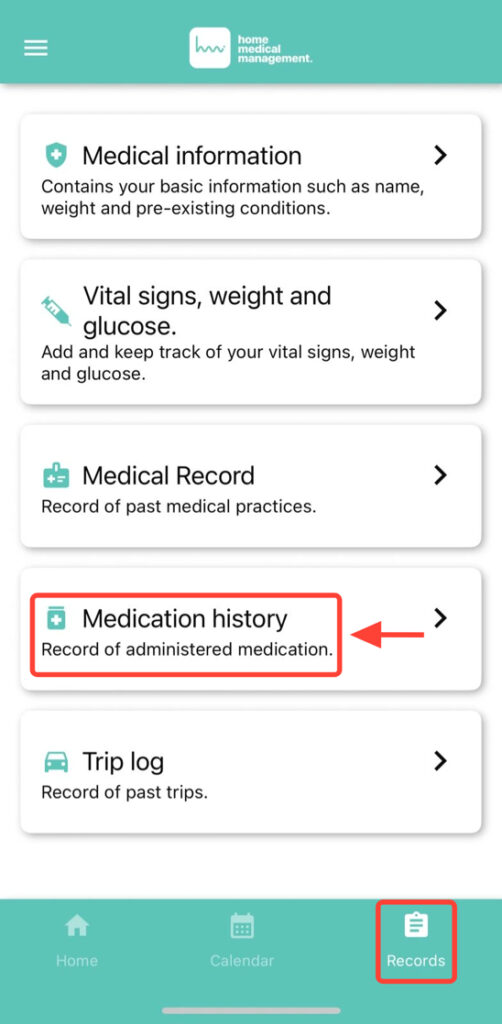
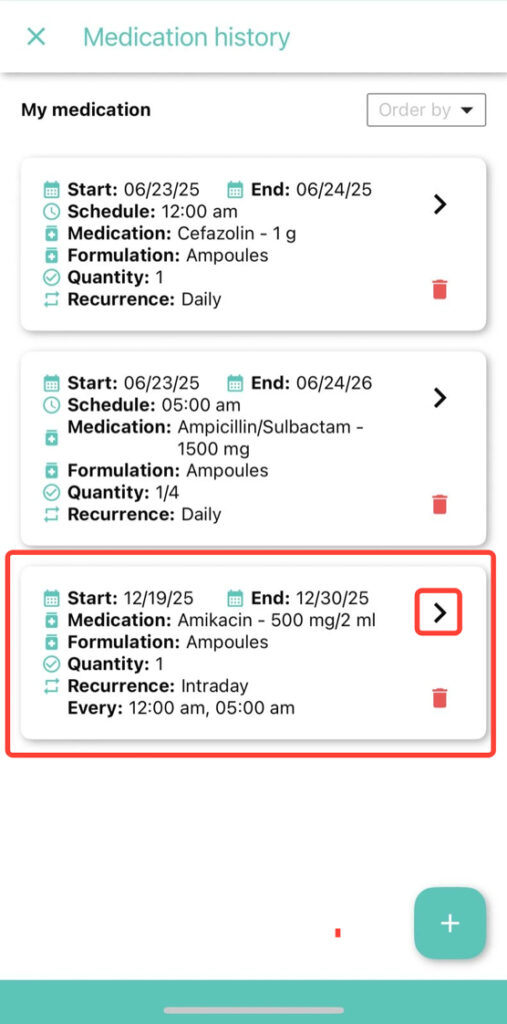
2. Find the medication you want to edit and tap the corresponding arrow.
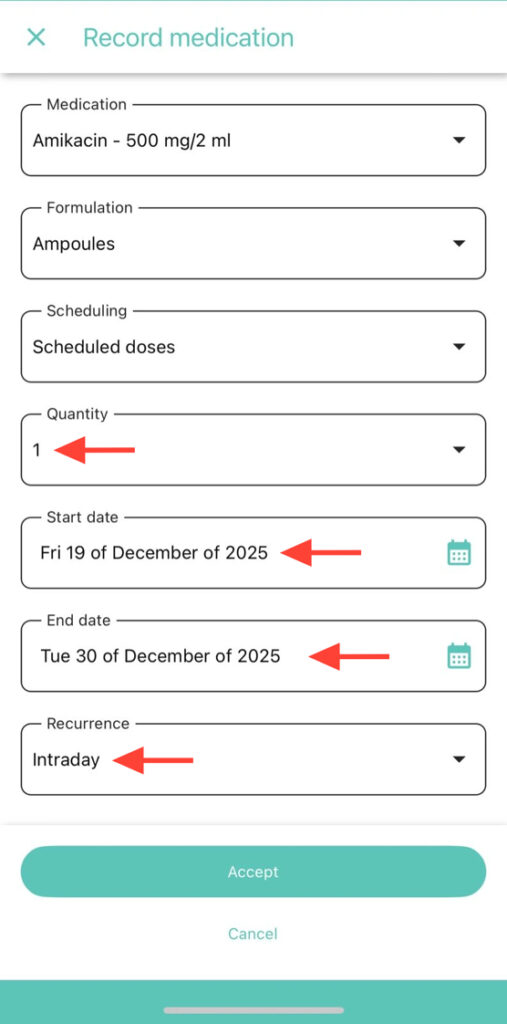
3. Modify the fields you deem necessary, such as dosage, presentation, or schedule.
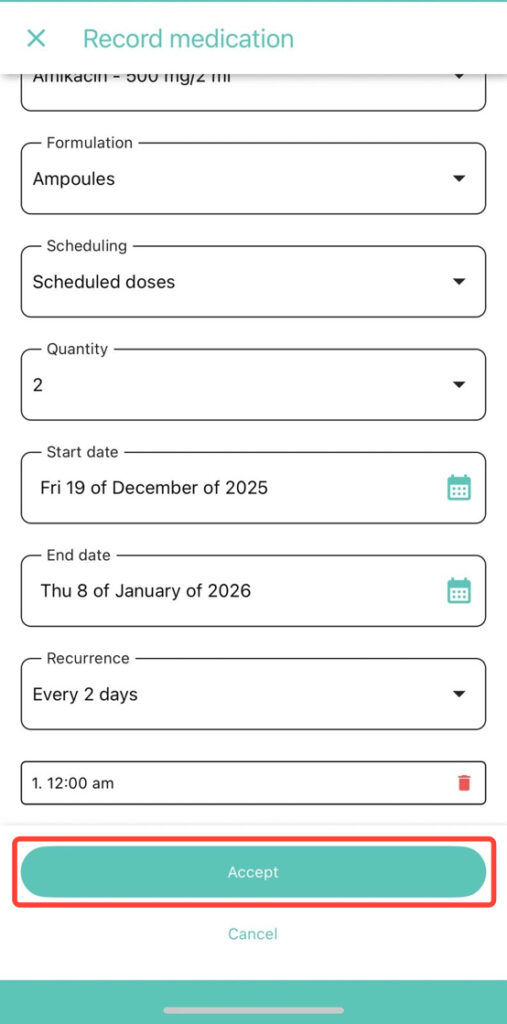
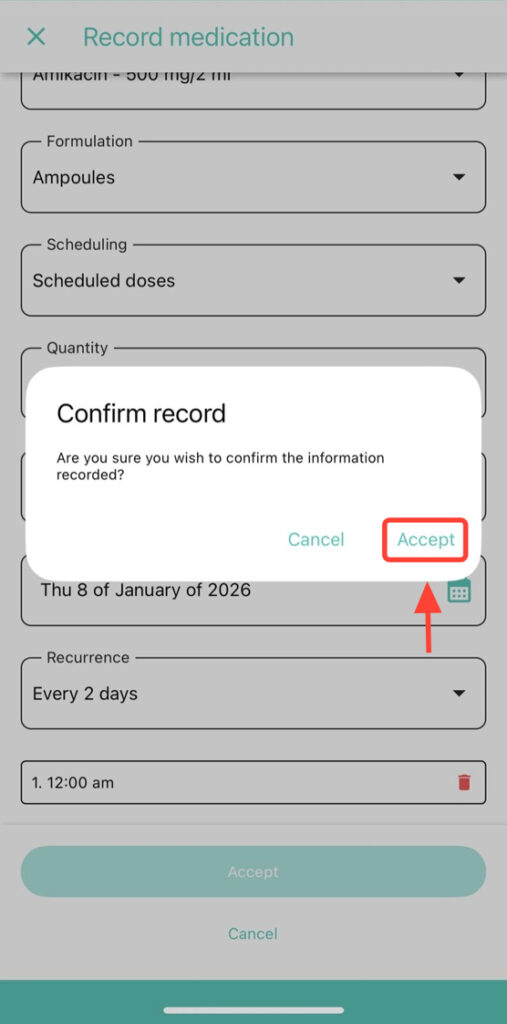
4. Verify that the edited information is correct before saving and press accept.
5. Click Accept to save the changes made to the record.