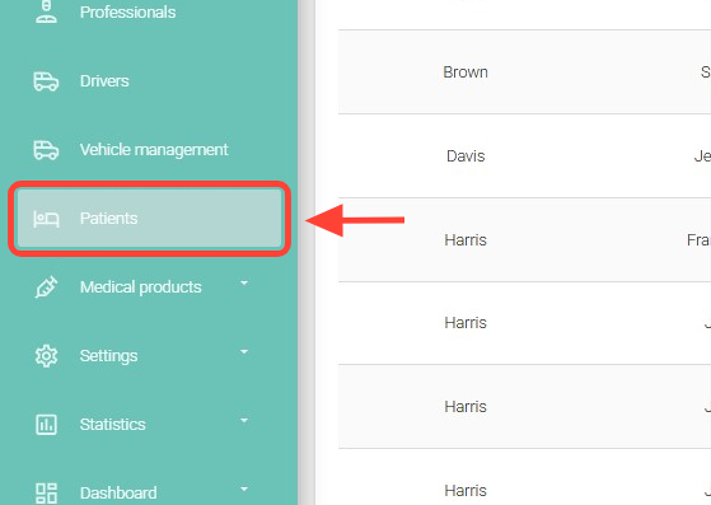
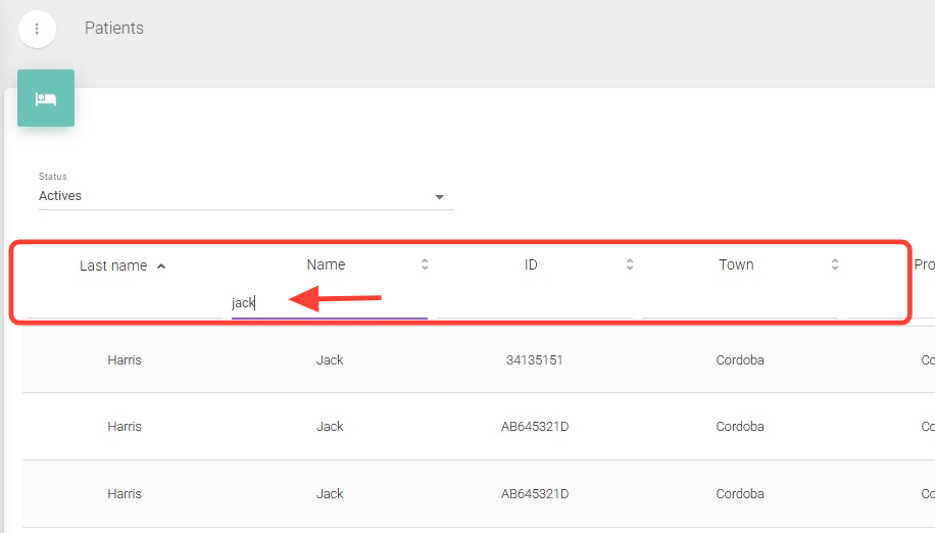
2. Find the patient you want to activate or deactivate.
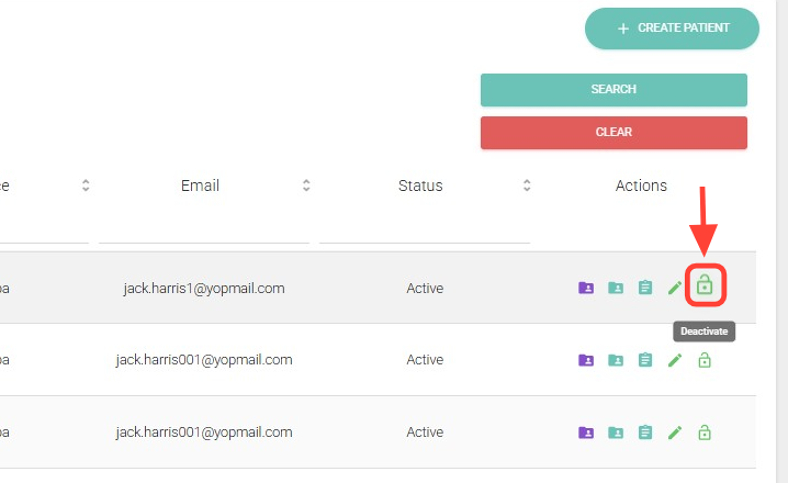
3. In the Actions column, click Activate if you want to reactivate the patient, or Deactivate if you want to inactivate them.
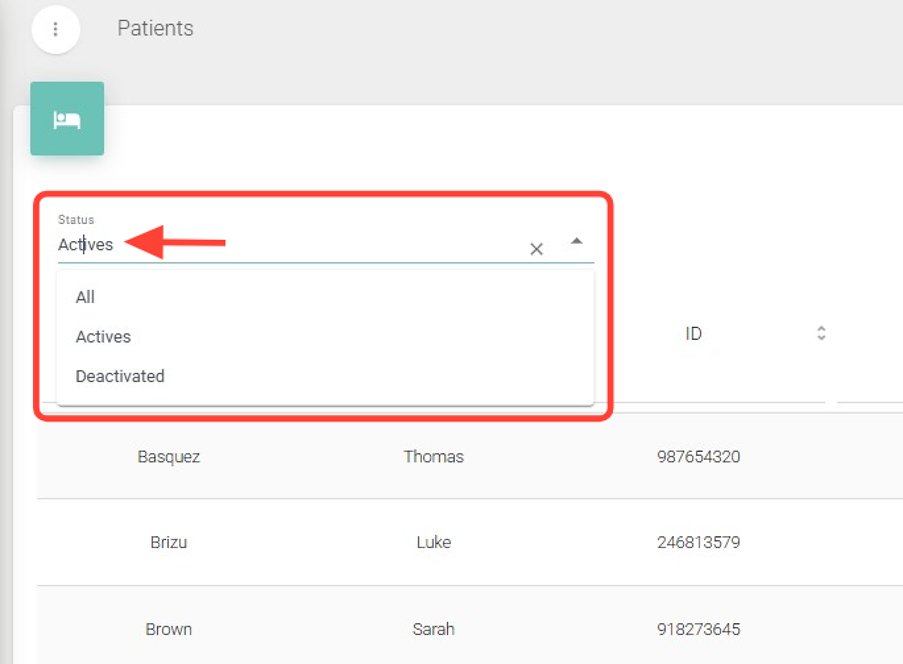
4. Once the change is made, you can locate the patient using the Status filter, which includes All, Active, and Inactive options.