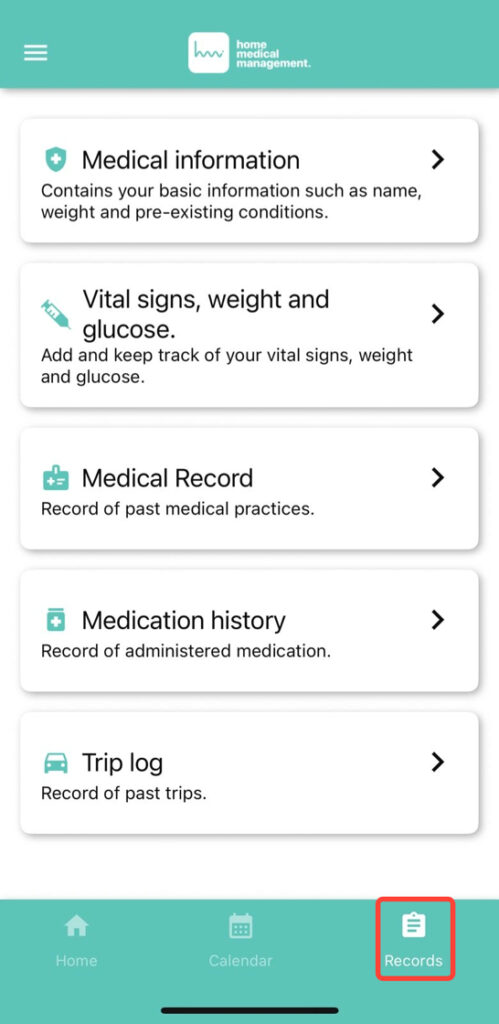
From the left side menu or the main screen, tap Records.
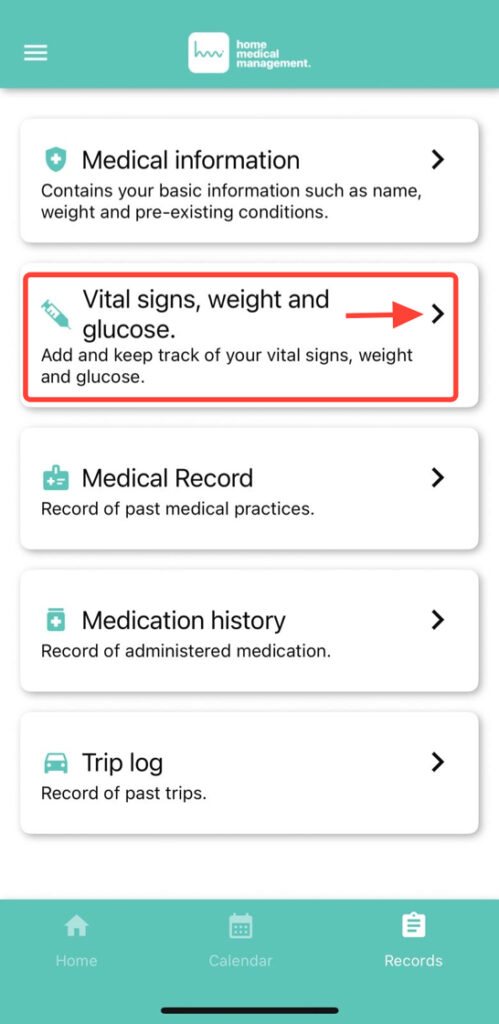
2. Click on Vital signs, Weight and glucose.
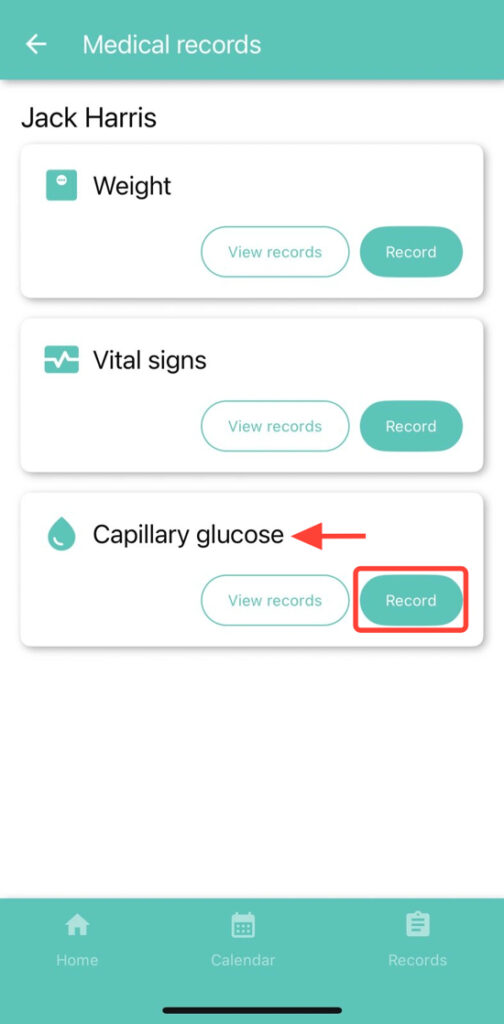
3. You will see the options Weight, Vital Signs, and Capillary Glucose. Tap Record in the Capillary Glucose section.
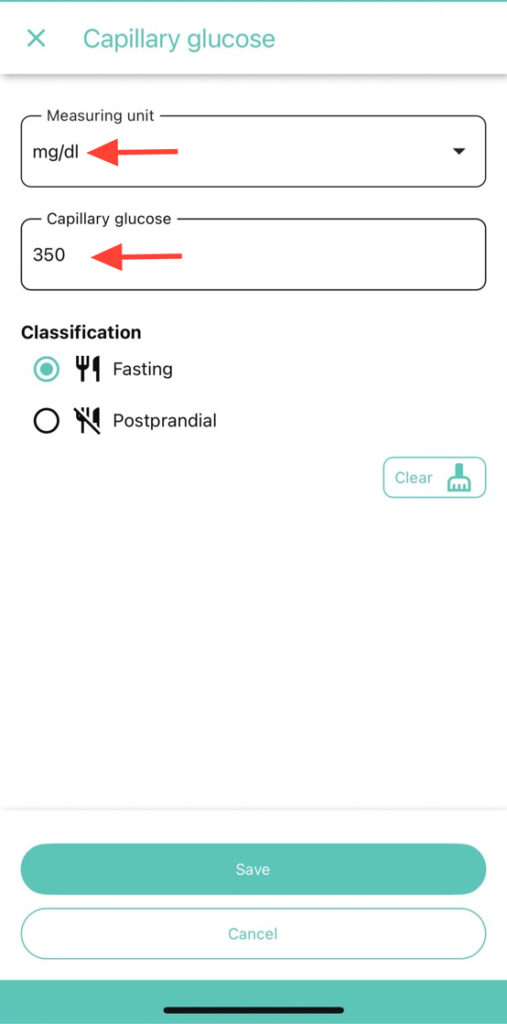
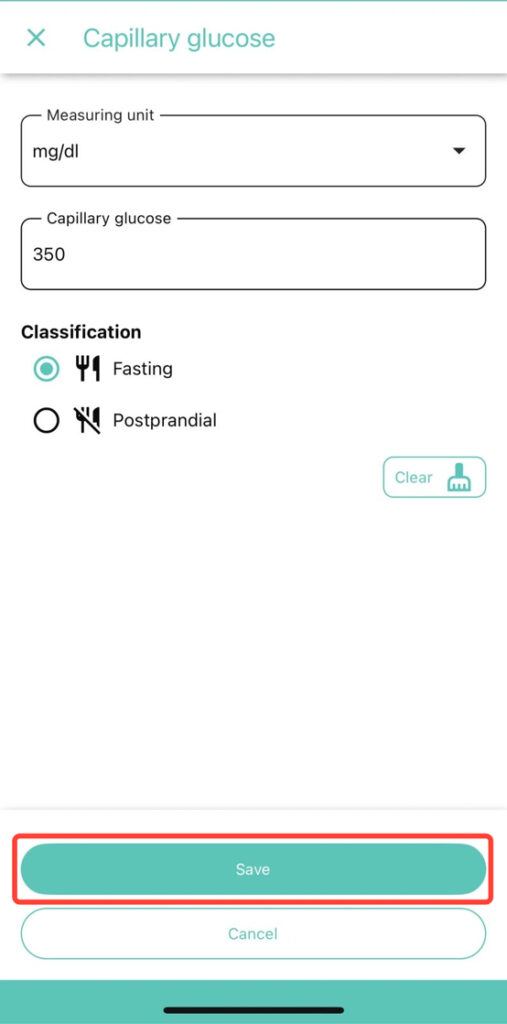
4. Enter the capillary glucose values you consider necessary. If you made a mistake, tap Clear to delete all fields or correct only the incorrect field.
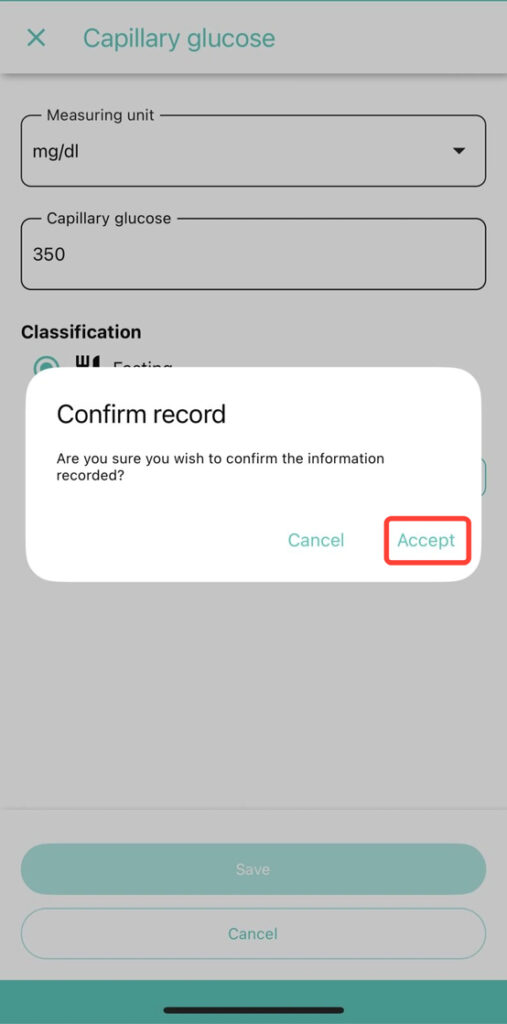
5. Click Save to correctly record the capillary glucose data.