HMM Global
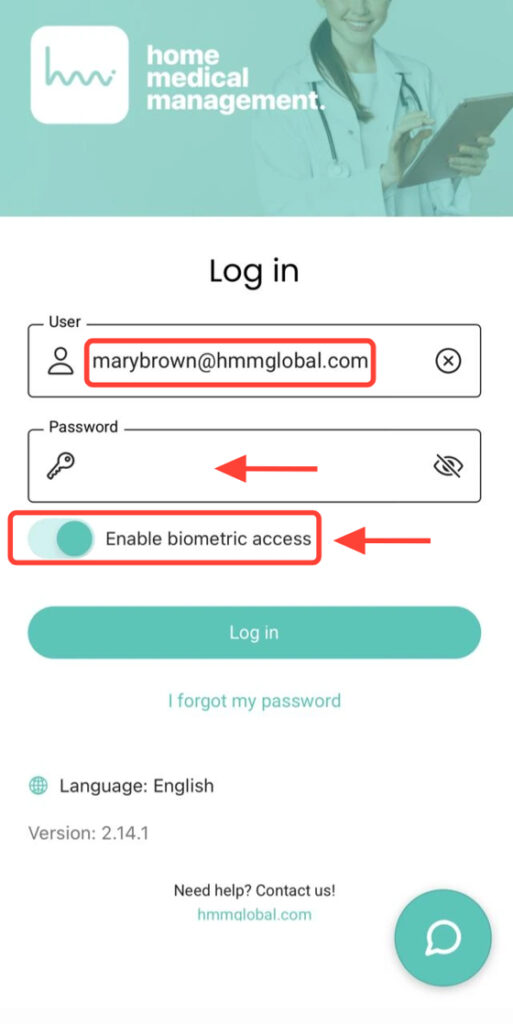
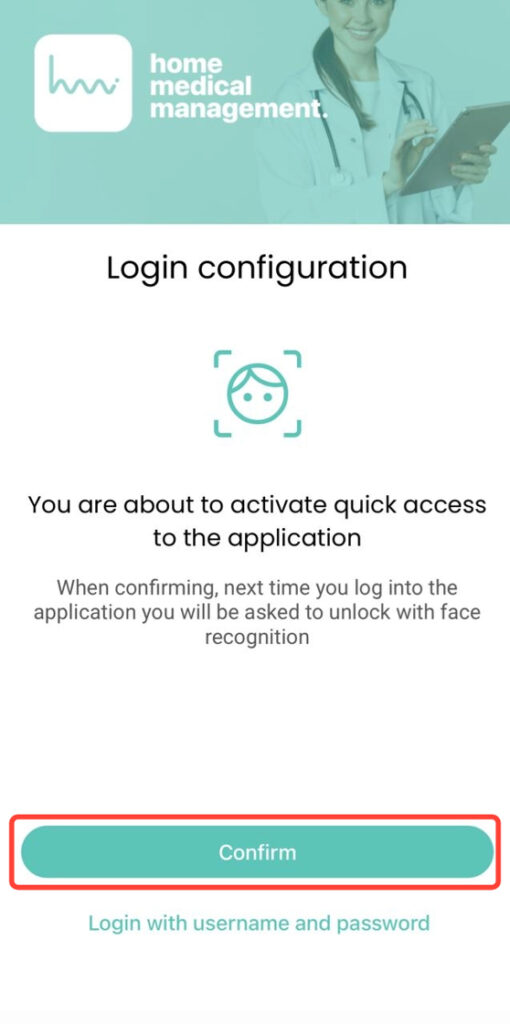
2. Register your fingerprint or Face ID as requested to access the app correctly.
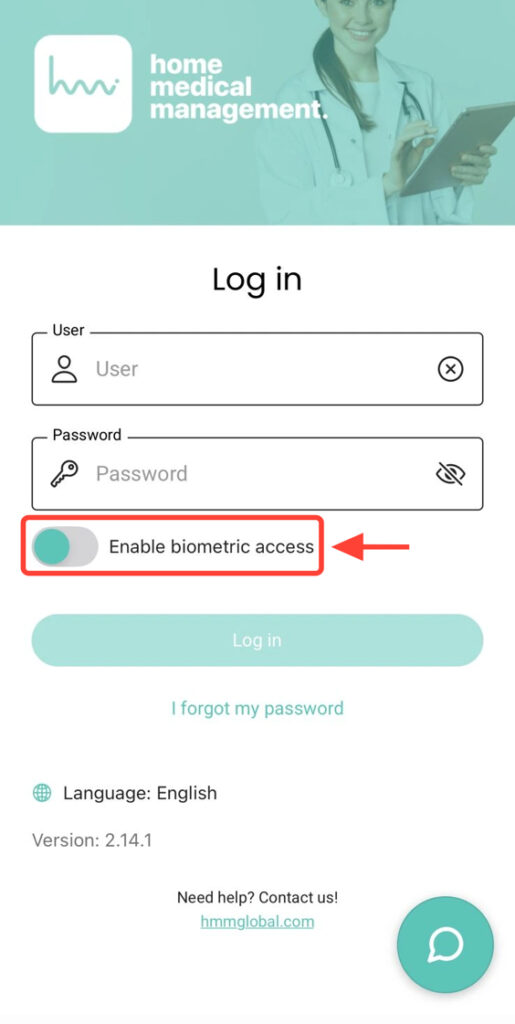
3. If you do not wish to use biometric data, disable the Activate Biometric Login button.