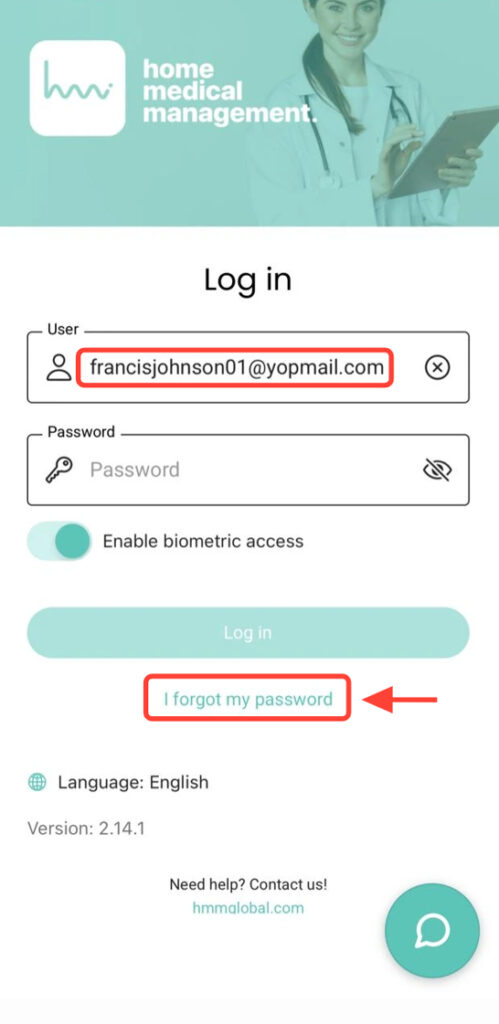
On the Login screen, enter your email in the Username field and tap I forgot my password.
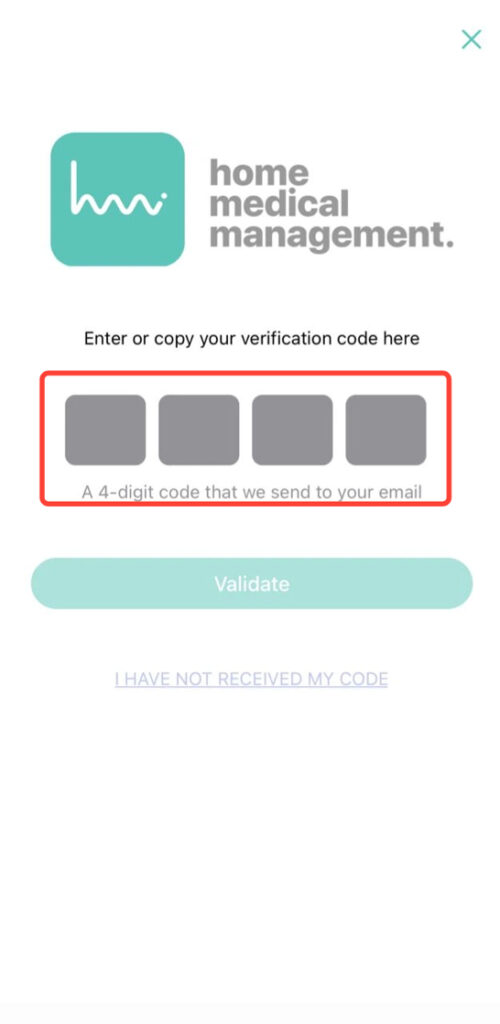
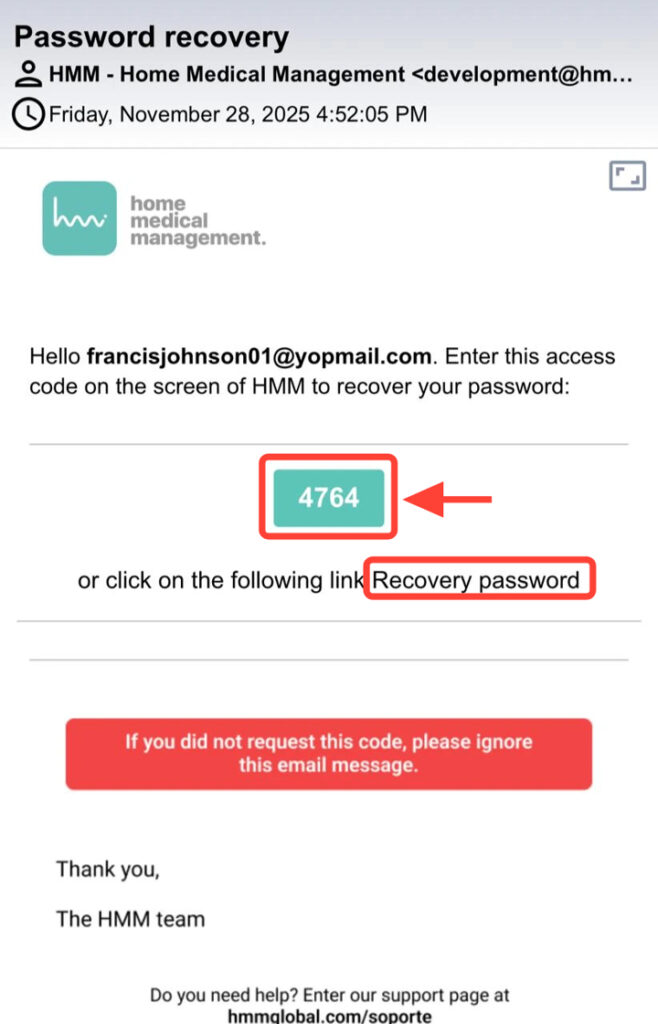
2. You will receive a 4-digit code in your email. Open it to view it.
3. Enter the code in the app using either method: by copying the code into the four fields, or by tapping “Recovery password” from the email to generate a new one.
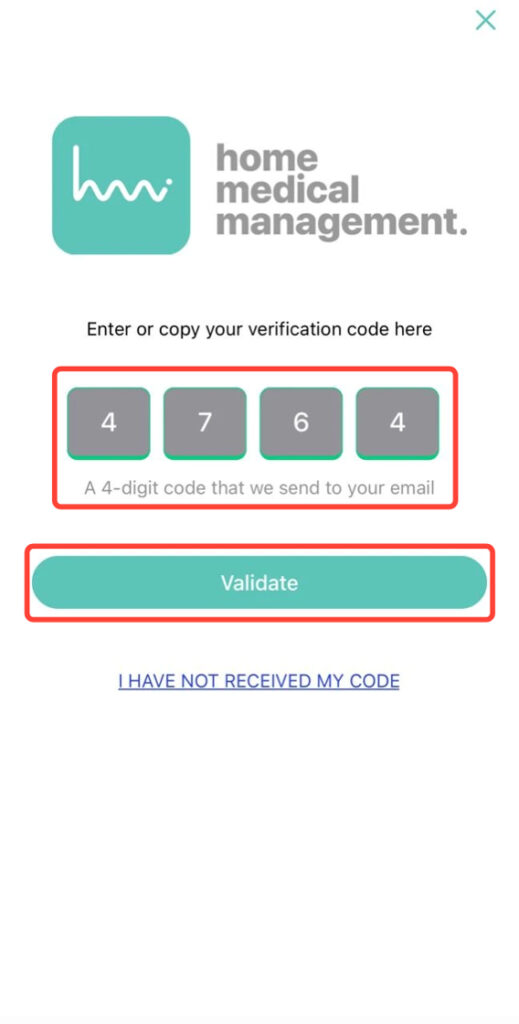
4. Insert the four-digit code and tap Validate.
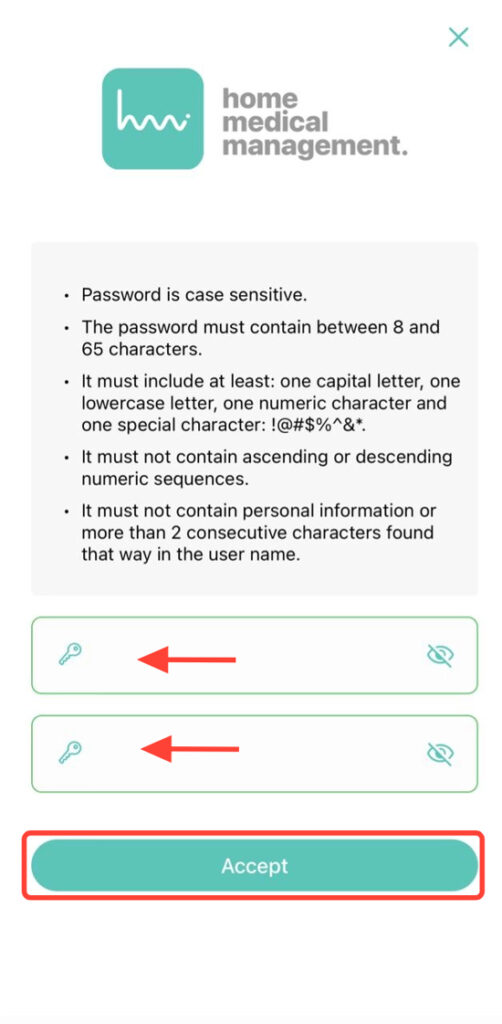
5. Enter your new password and tap Accept to complete the process and restore your access.
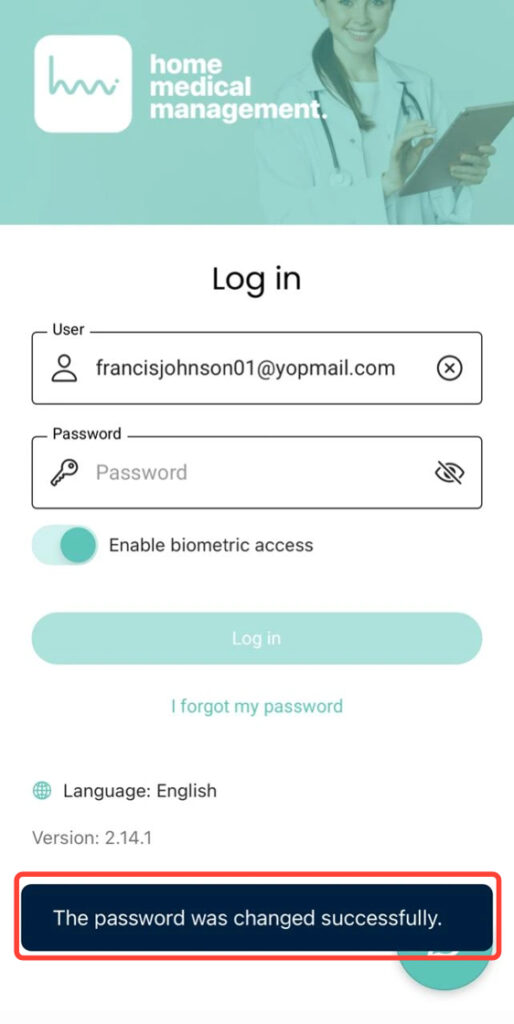
6. At the bottom of the screen, you will see a notification confirming that your password has been successfully reset.