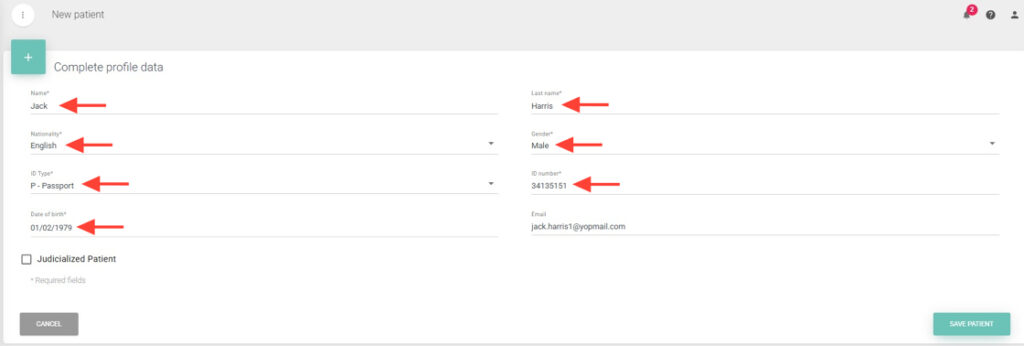
3. Fill in the required fields (\*) such as First Name, Last Name, Nationality, Gender, among others.
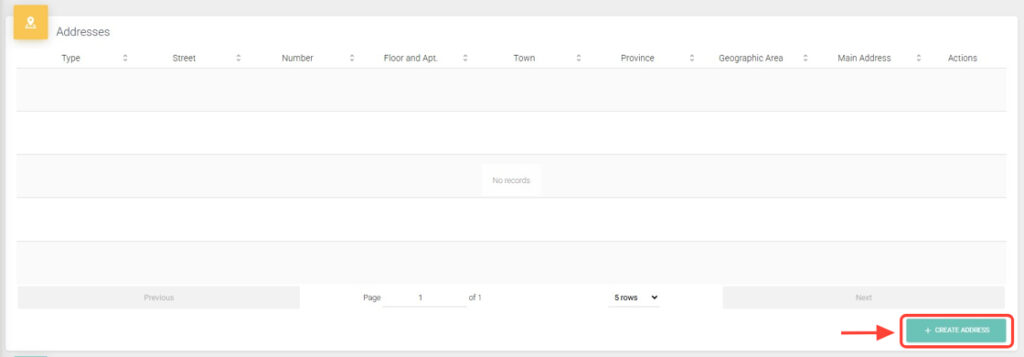
4. Next, continue with the patient creation. Add one or more addresses and select one as the primary address.
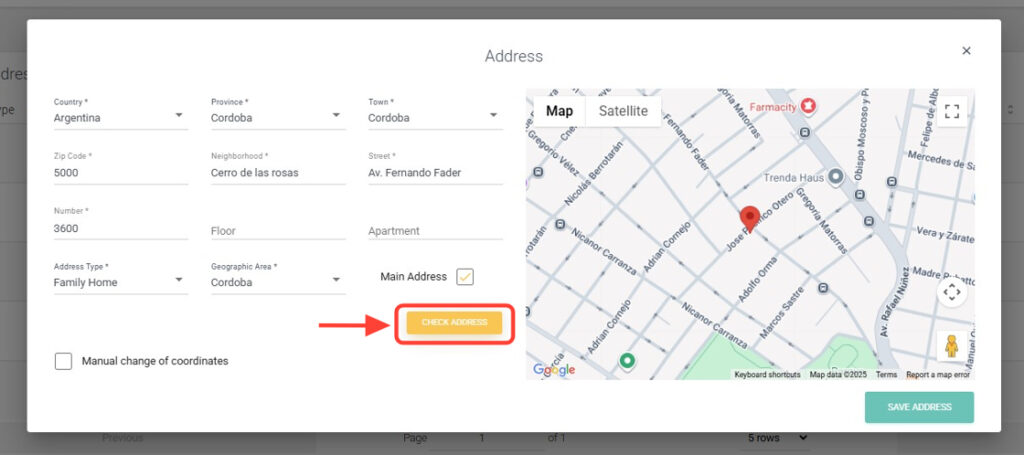
5. After entering the address, tap Verify Address to confirm it is correct. You will be able to see it on the map.
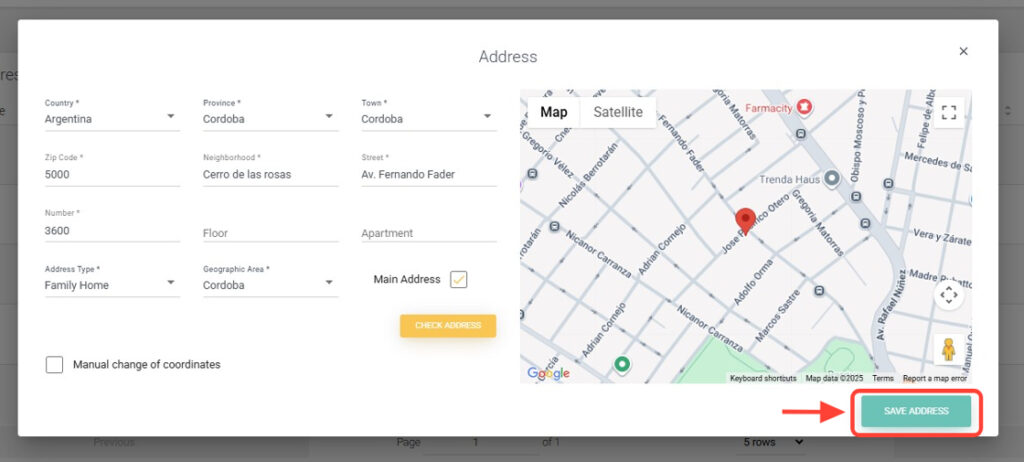
6. Tap Save Address.
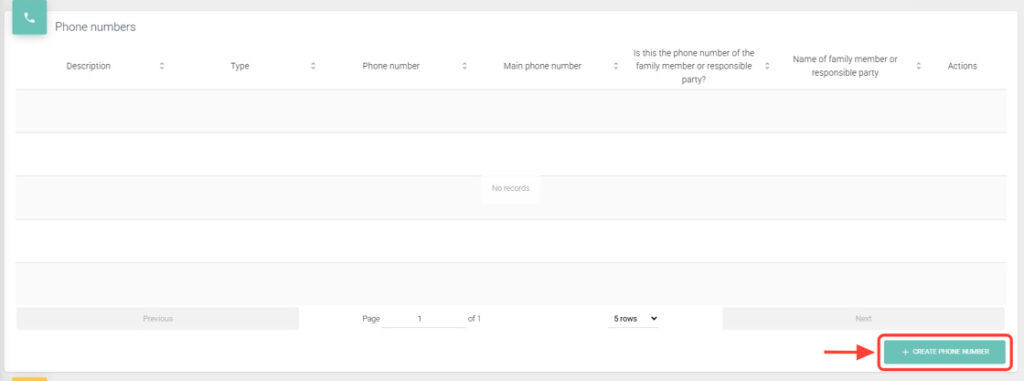
7. In the Phone Numbers panel, tap + Create Phone to add one or more numbers.
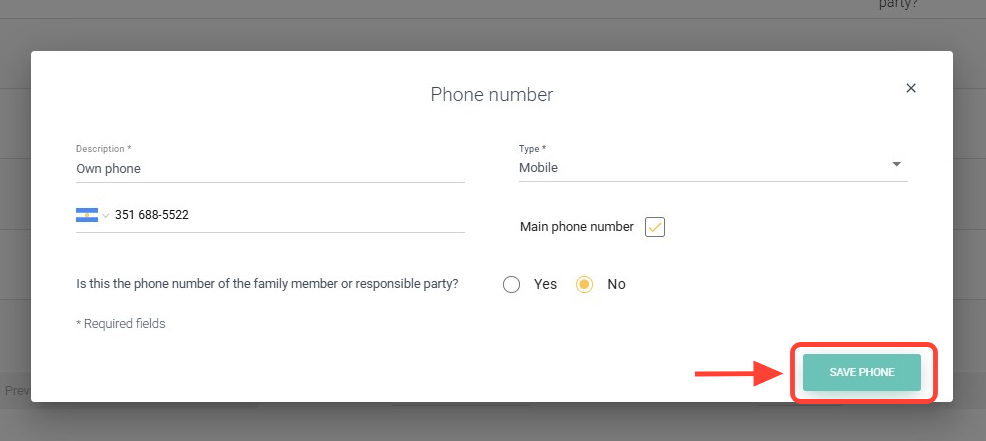
8. Tap Save Phone.
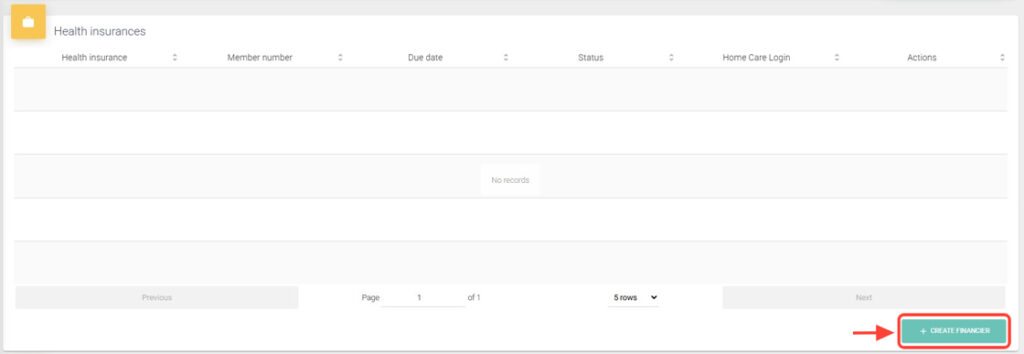
9. It is necessary to assign the patient at least one funding source to be able to create requests later. You can add one or more funding sources by tapping + Create financier.
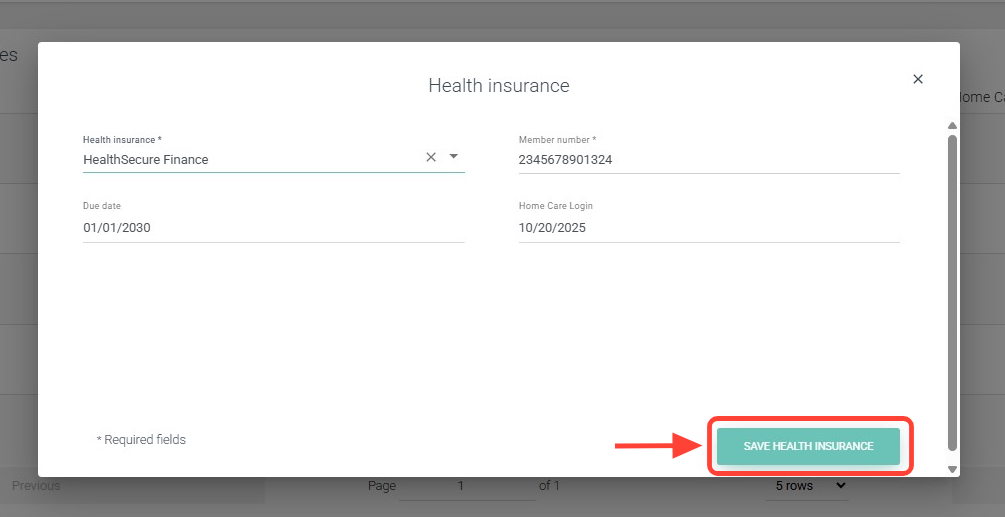
10. Tap Save health insurance.
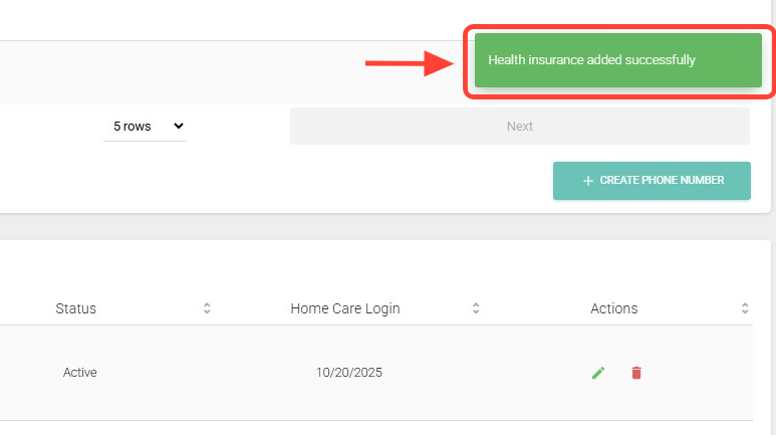
11. At the top right, you will see a notification confirming that the funding source has been successfully added.
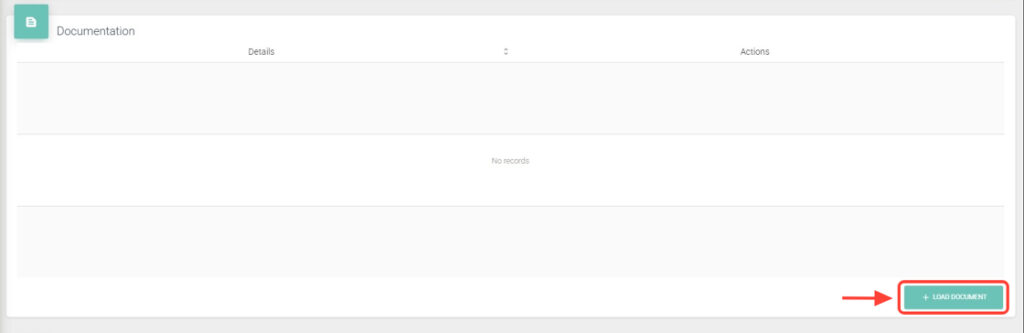
12. In the Documentation panel, you can add files by tapping + Upload Documentation.