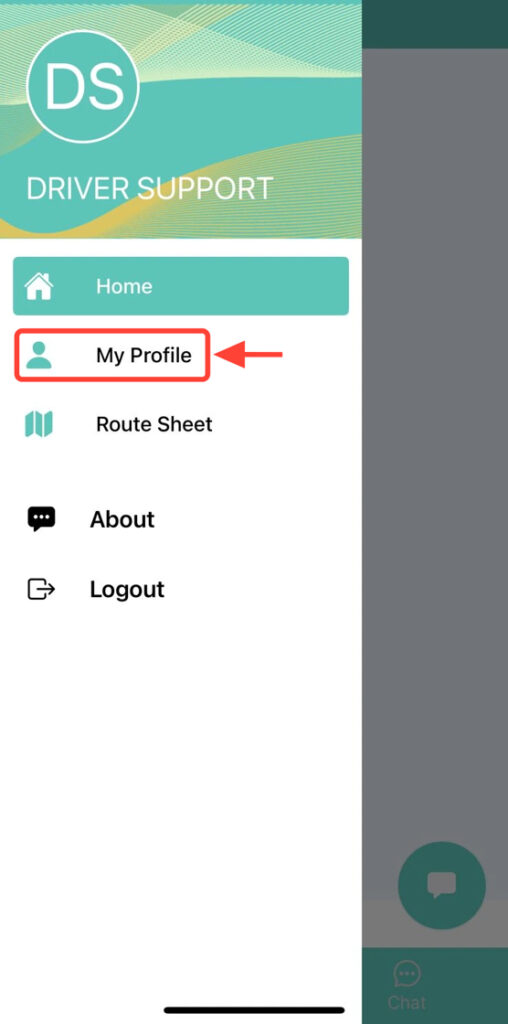
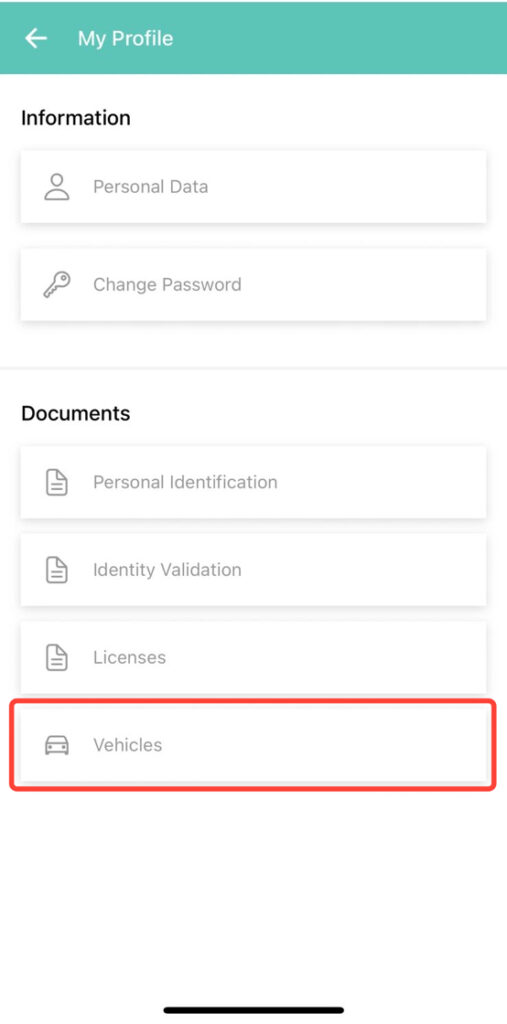
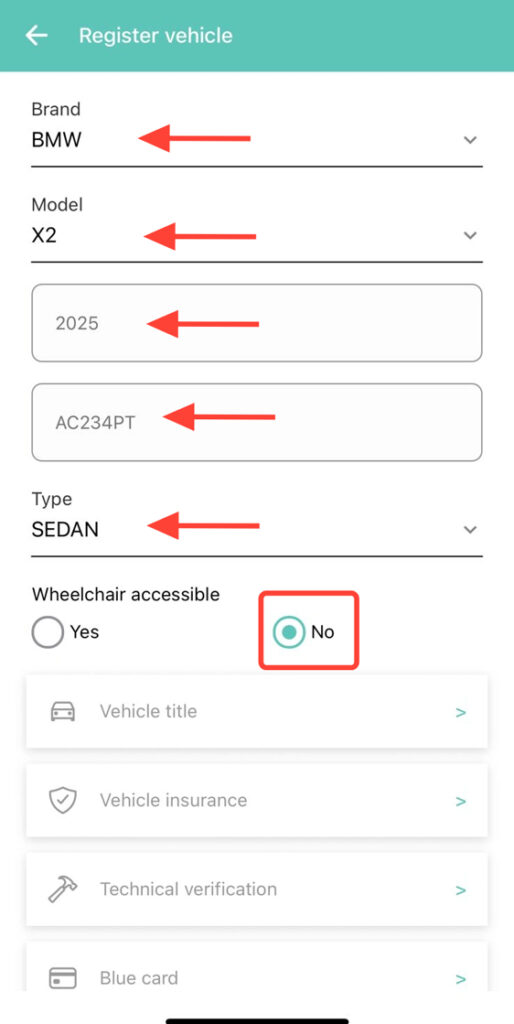
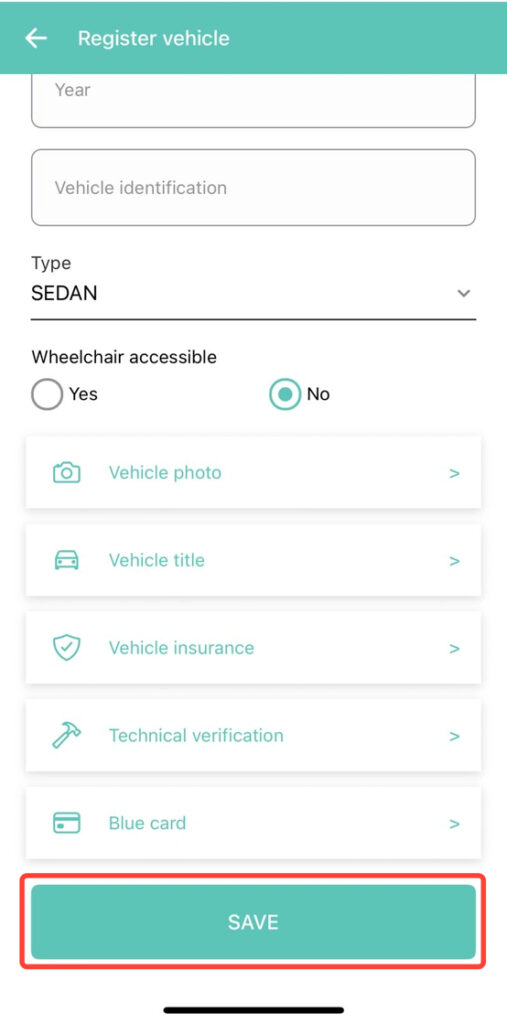
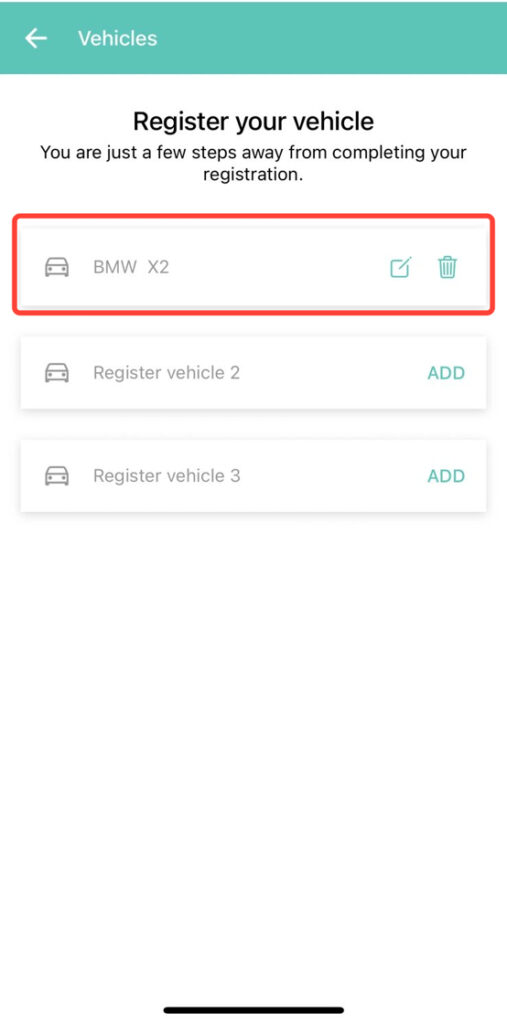
4. Fill in the vehicle information by completing the following fields: Make, Model, Year, Vehicle ID, Type, and whether it is wheelchair accessible.
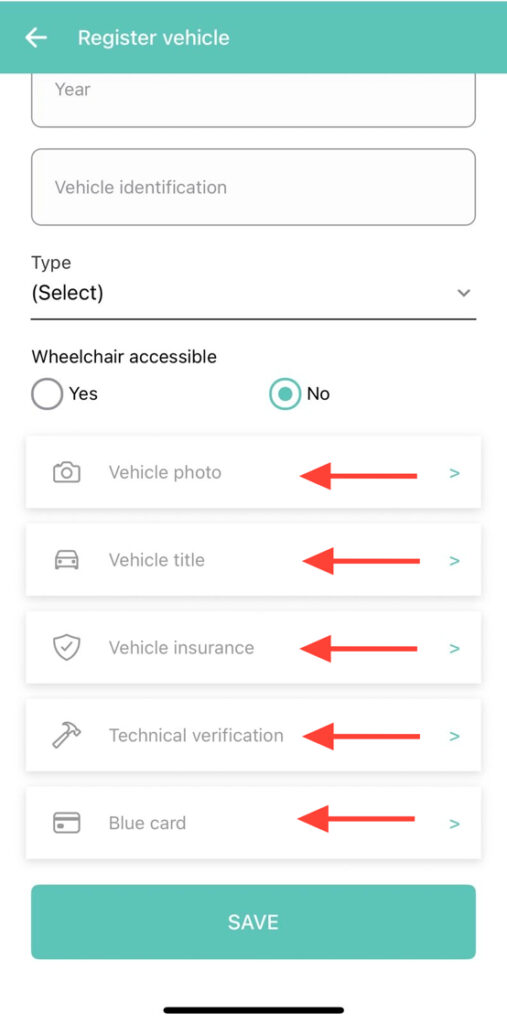
5. Then, upload the vehicle documents requested by your coordinator. These may include: Photo of the Vehicle, Vehicle Title, Vehicle Insurance, Technical Inspection, and Blue Card.
6. Each document can be uploaded in two ways: by taking a photo directly from your device or by uploading a file stored on your device. Once all the documents have been uploaded, they must be approved by your coordinator.