HMM Global
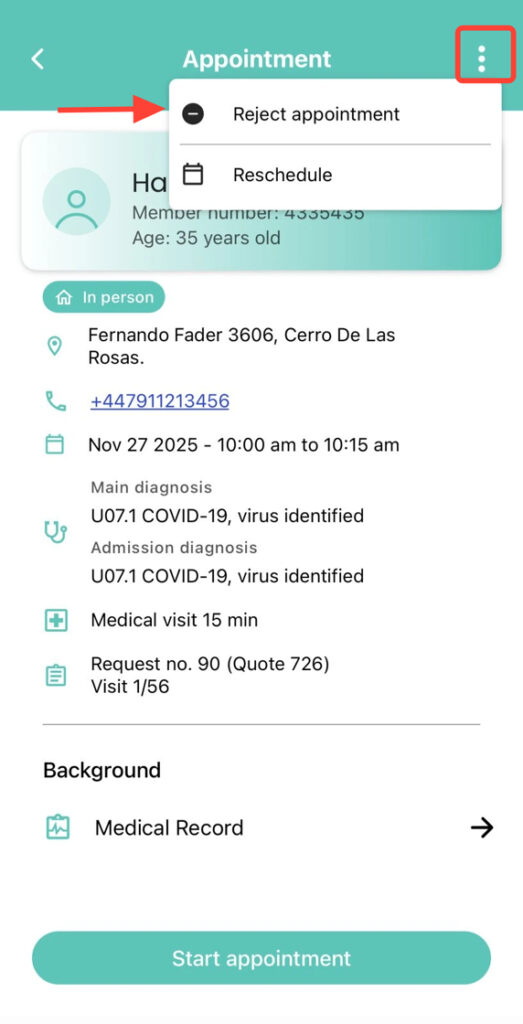
2. Inside the appointment, tap the three dots in the upper-right corner and select Reject Appointment.
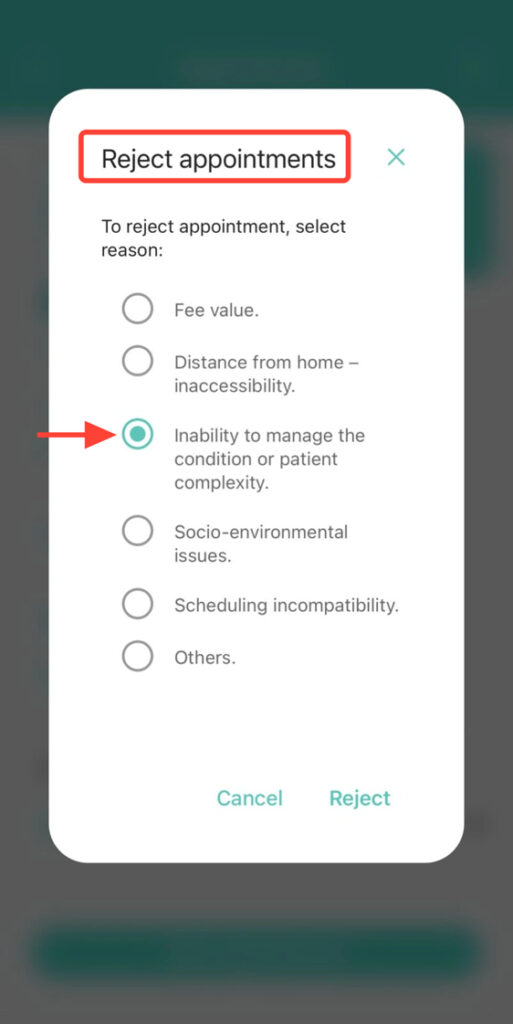
3. Choose the rejection reason and tap Reject.
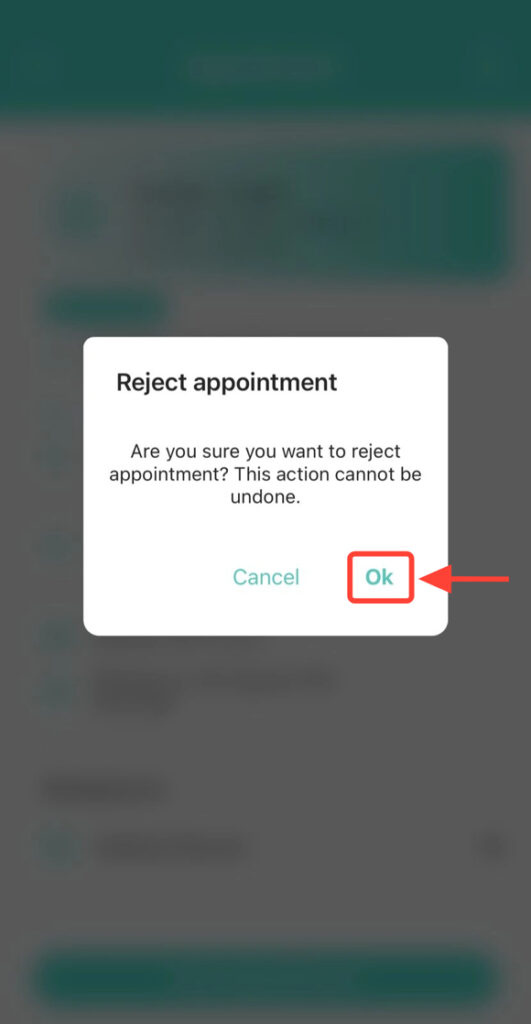
4. Finally, confirm the action.
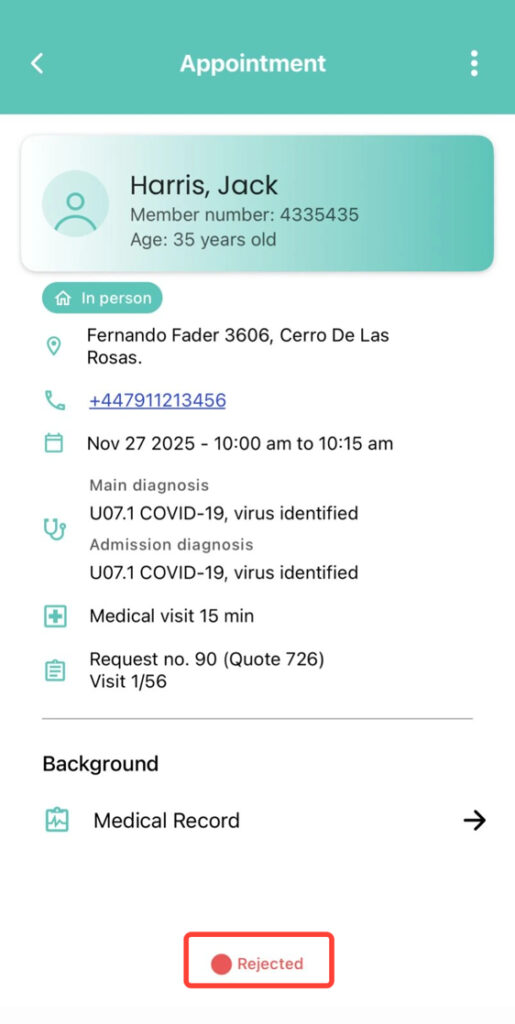
5. The appointment will change to the “Rejected” status.