HMM Global
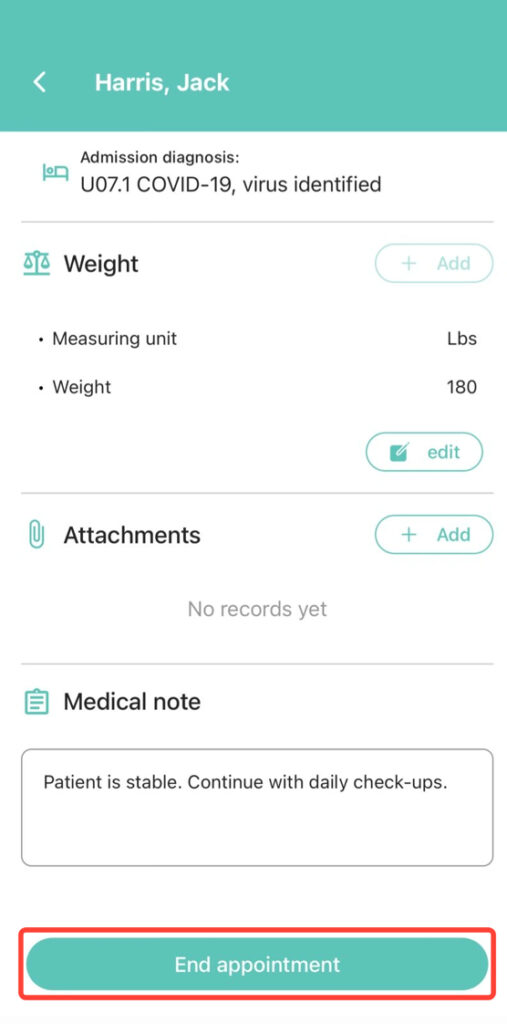
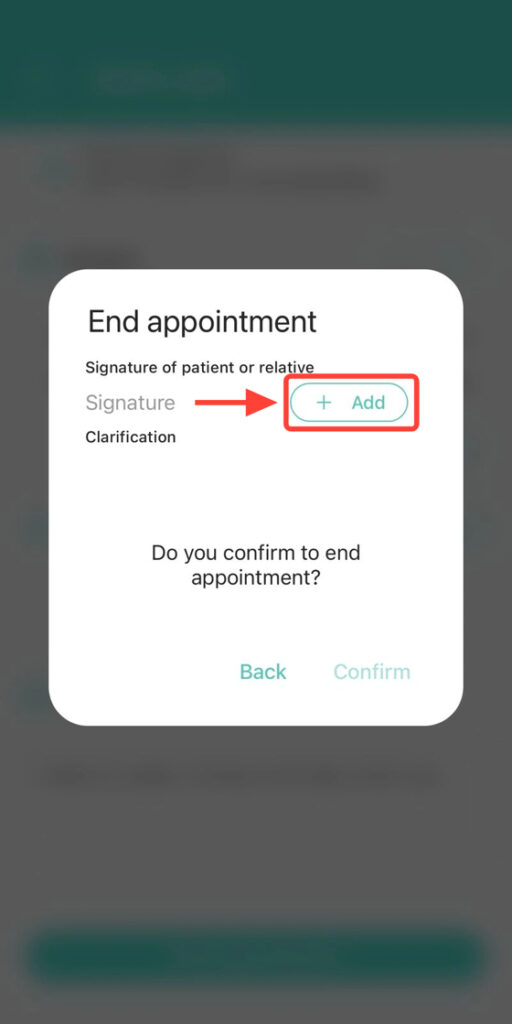
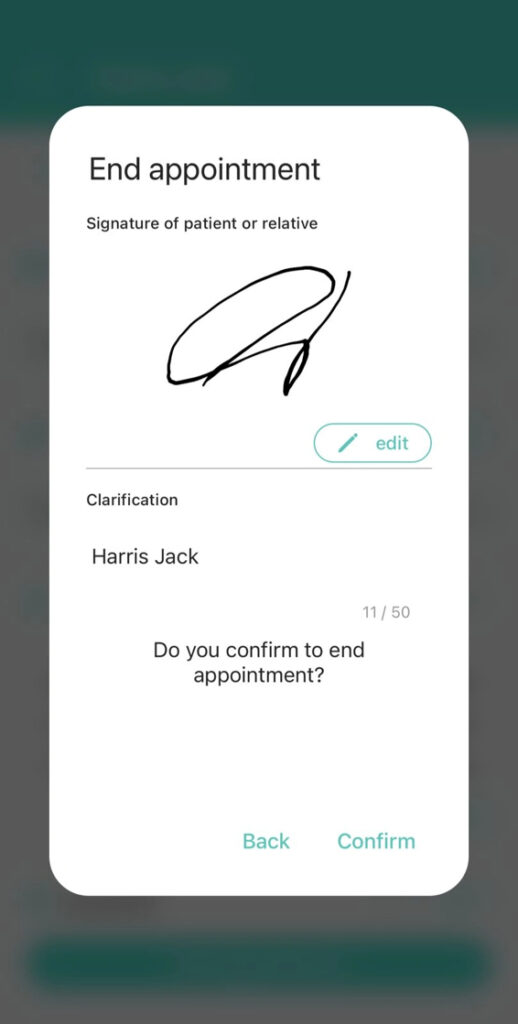
2. Request the patient’s or family member’s signature: tap + Add and enter the corresponding clarification.
3. If the signature was entered incorrectly, you can edit it and try again.
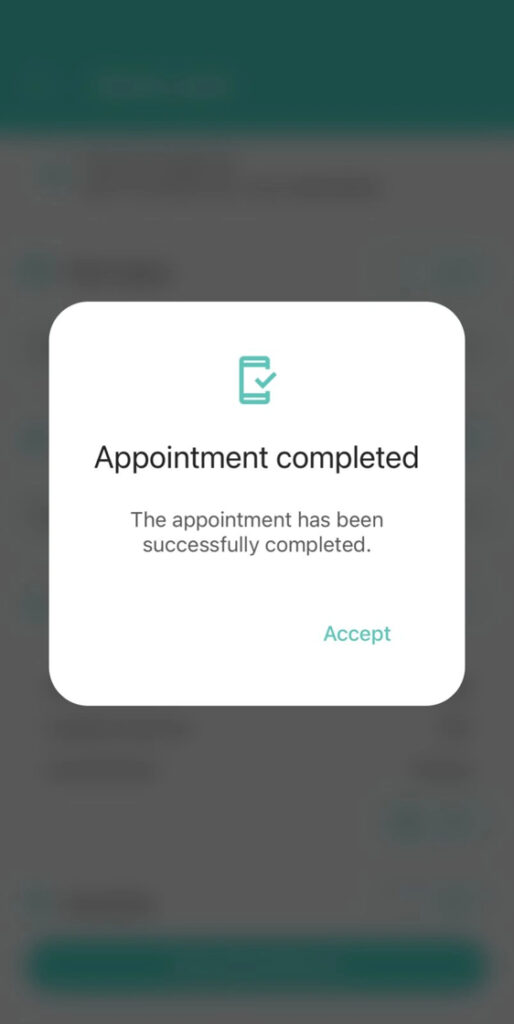
4. Press Confirm to finalize the appointment correctly.