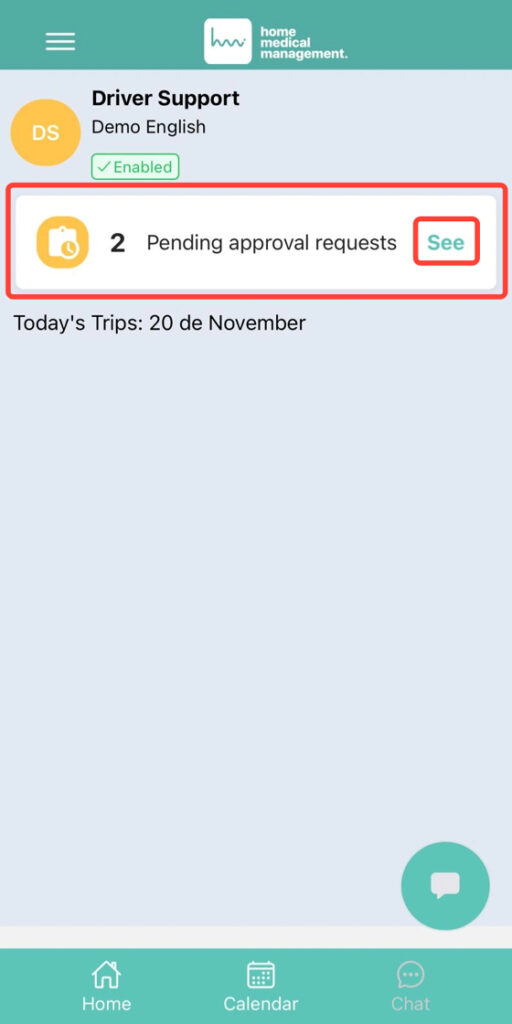
2. From Home, tap Pending approval requests.
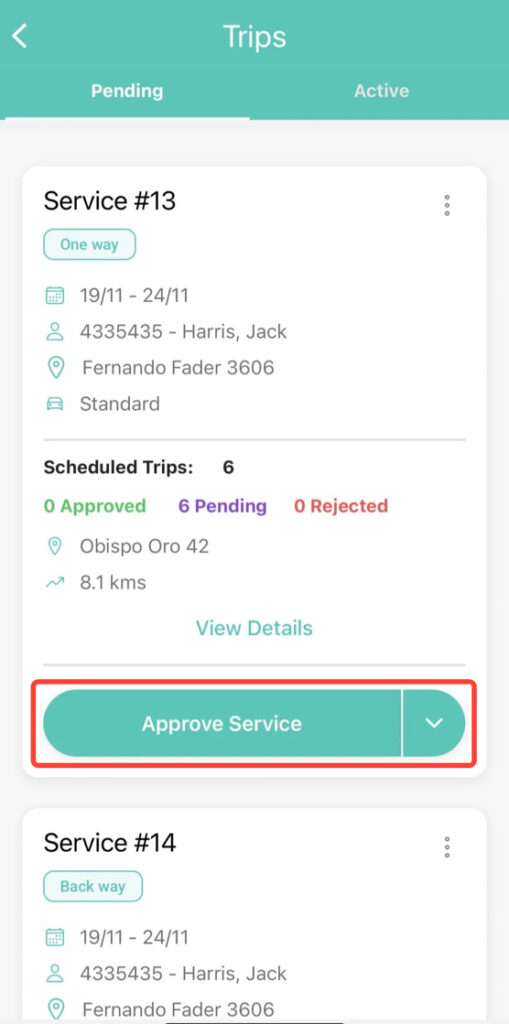
3. Tap the Approve Service button to approve the entire request.
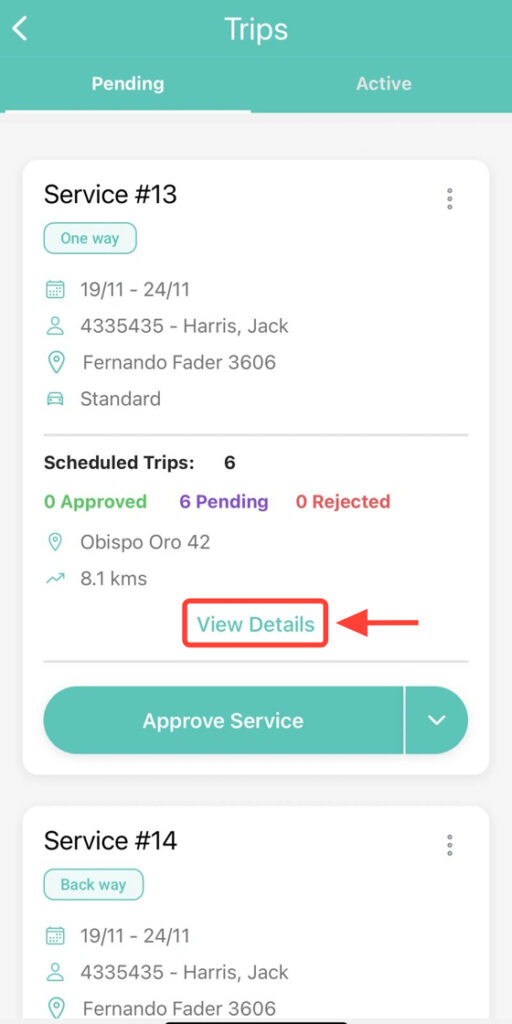
4. If you wish to approve some transfers and reject others, select View Details.
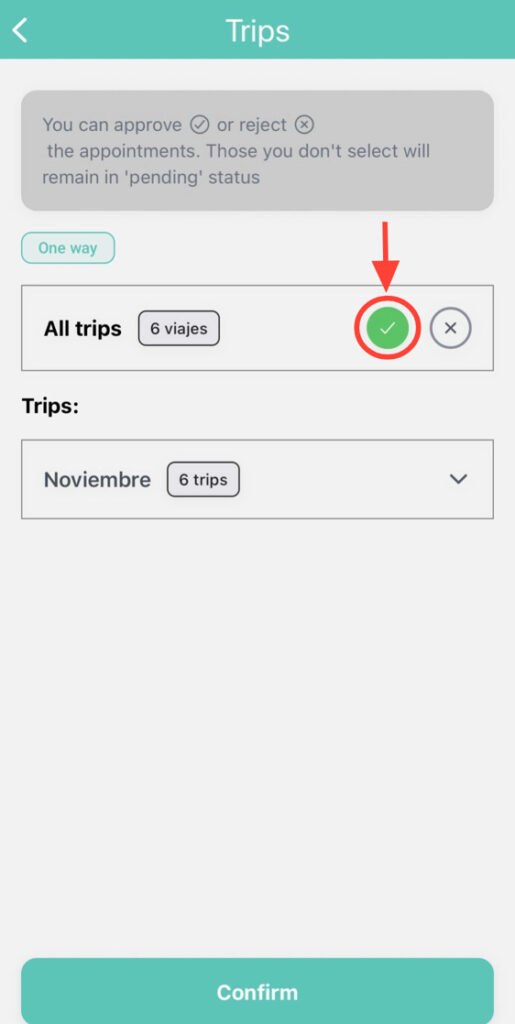
5. Press the checkmark icon to approve all transfers in bulk.
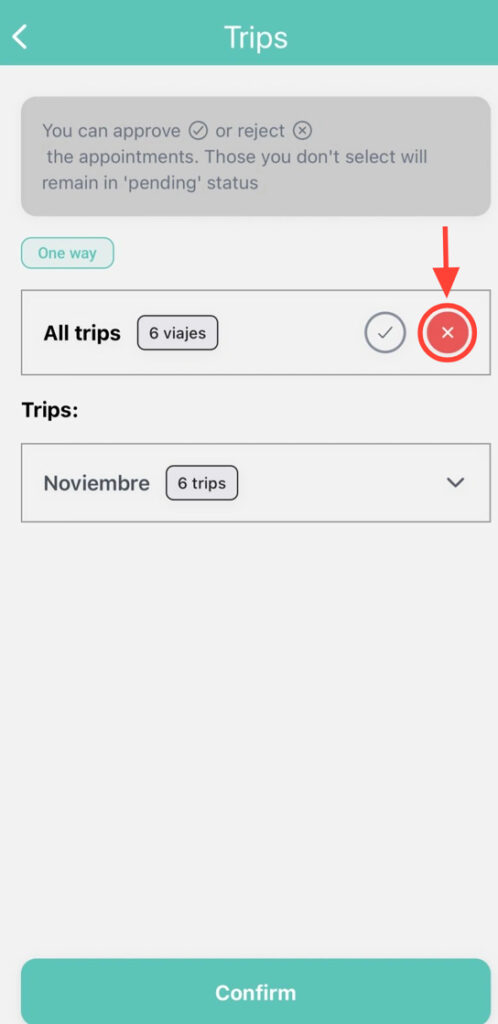
6. Press the cross icon to reject all transfers.
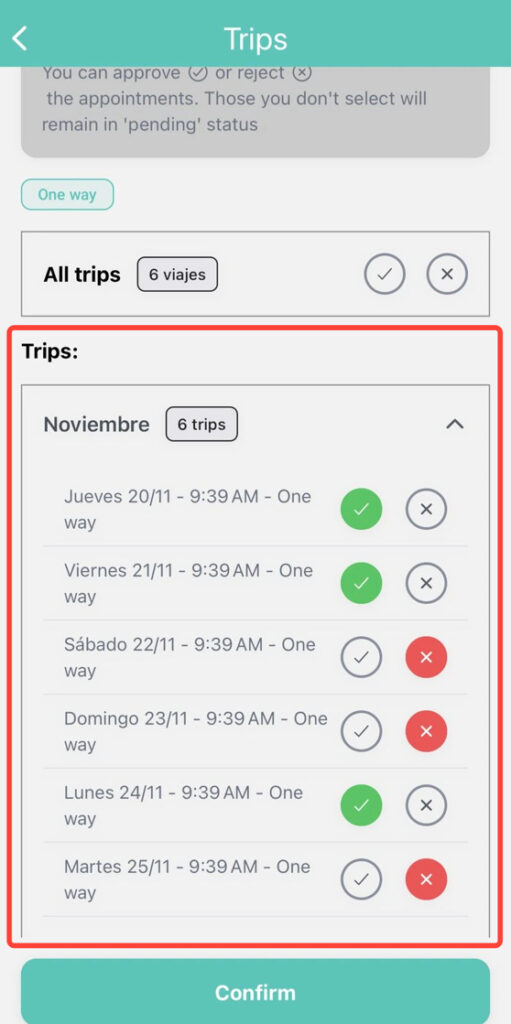
7. From the Trips section, you can choose which transfers to approve, which to reject, or simply leave them as Pending Approval.
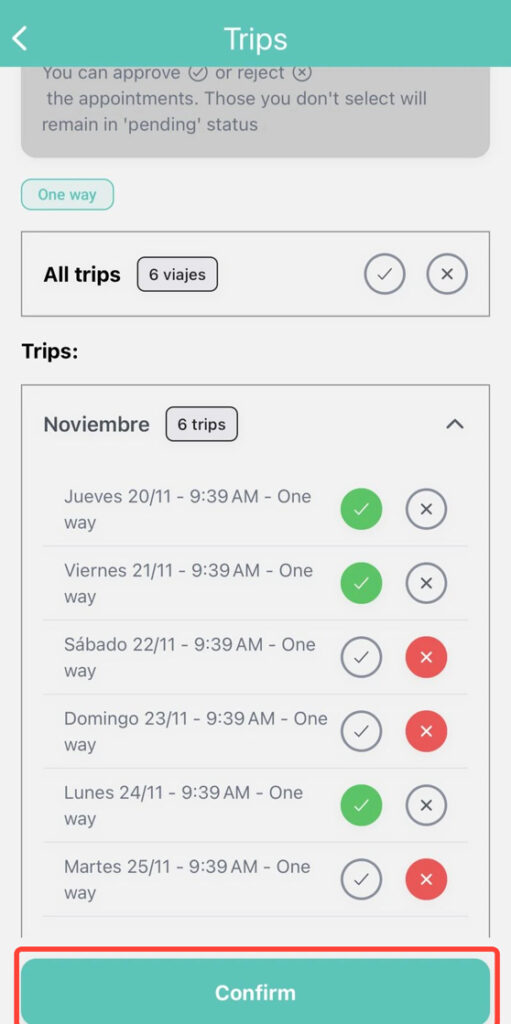
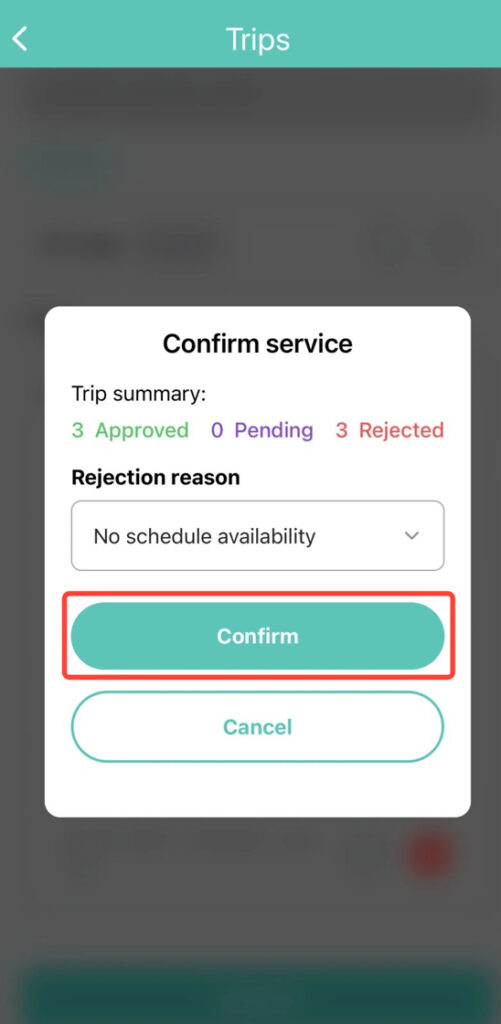
8. Tap Confirm to review the trip summary.
9. Finally, tap Confirm again.
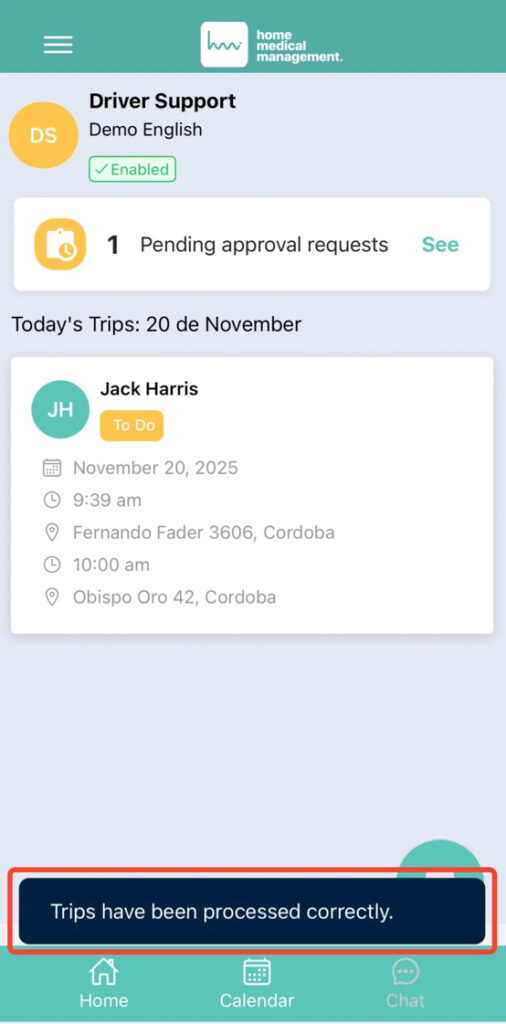
10. You will see a message like the following: The trips have been processed correctly.