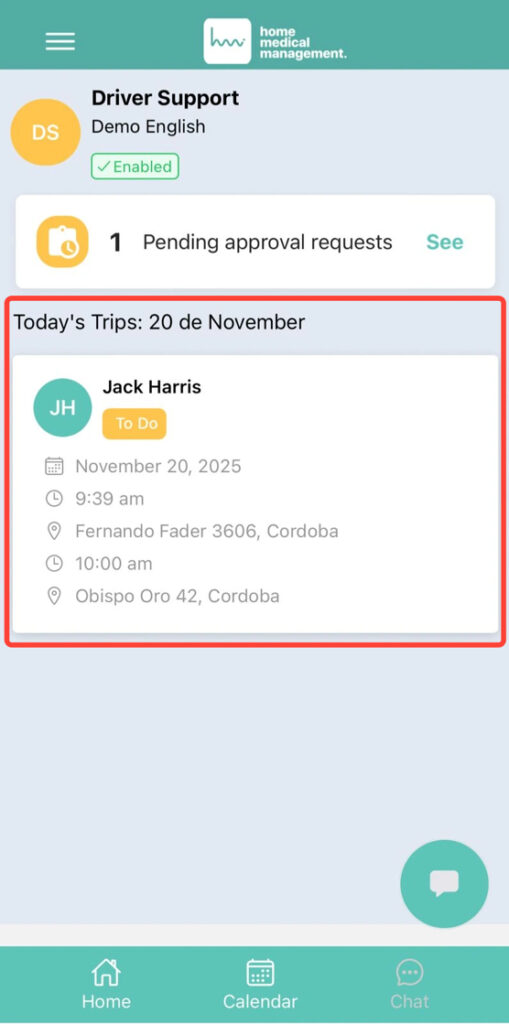
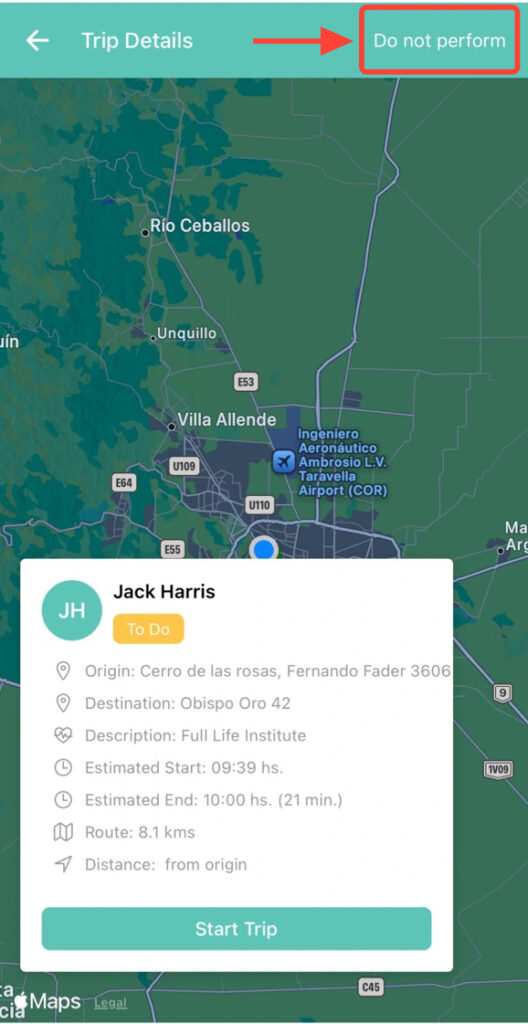
2. Once inside, tap Do Not Perform.
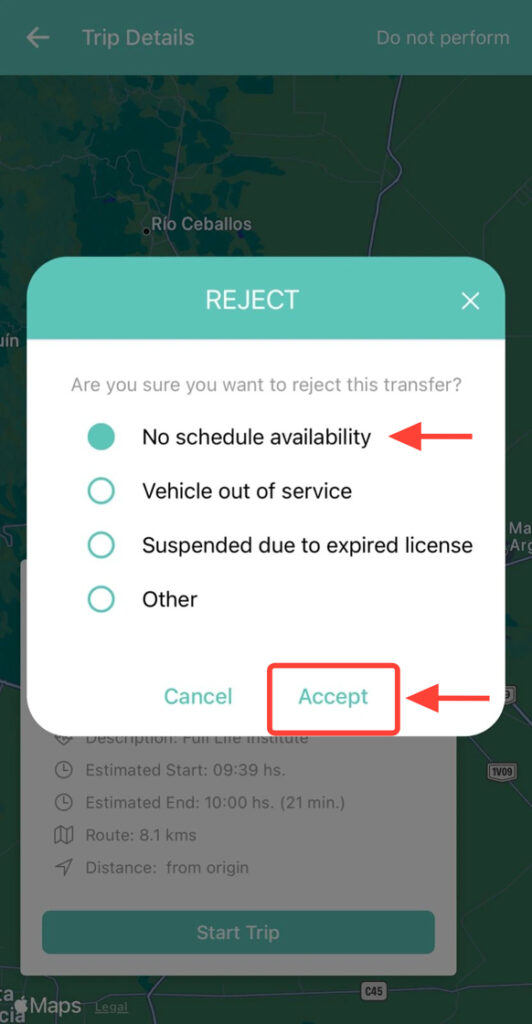
3. Select the reason for rejection and tap Accept.
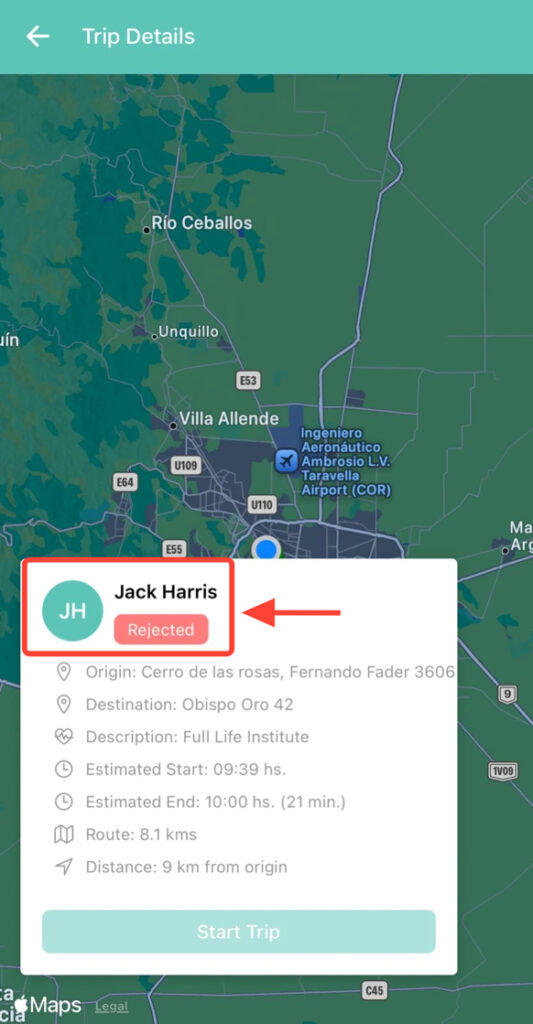
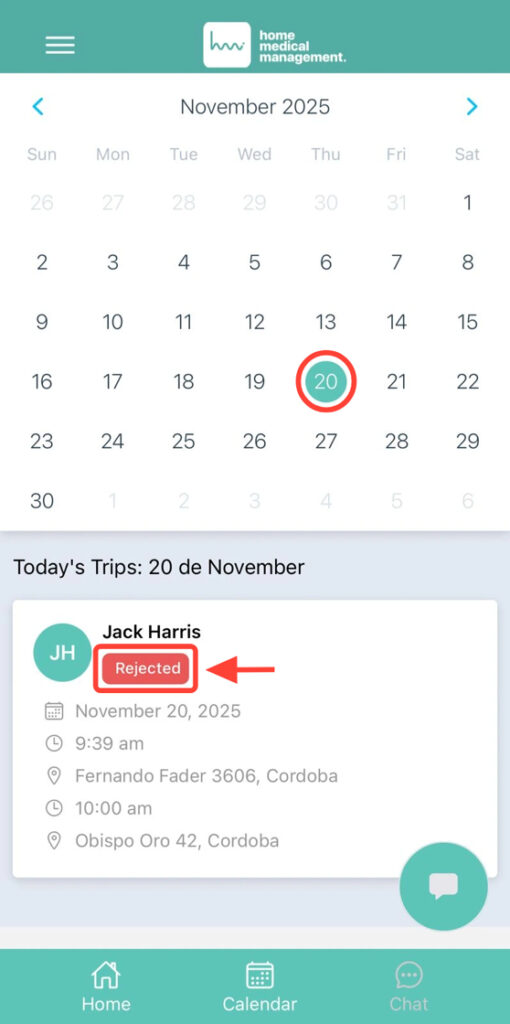
4. The transfer will be marked as Rejected.
5. You can view it from the Calendar.