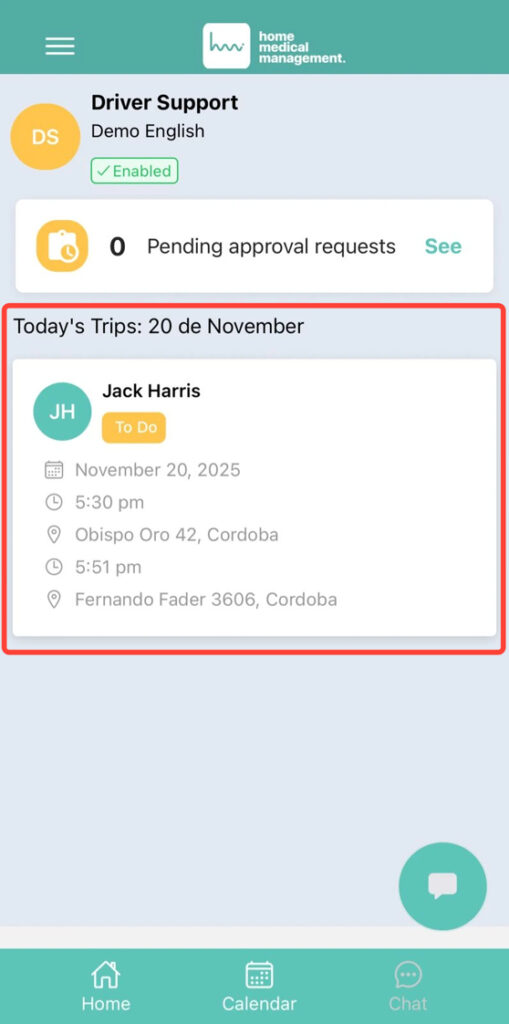
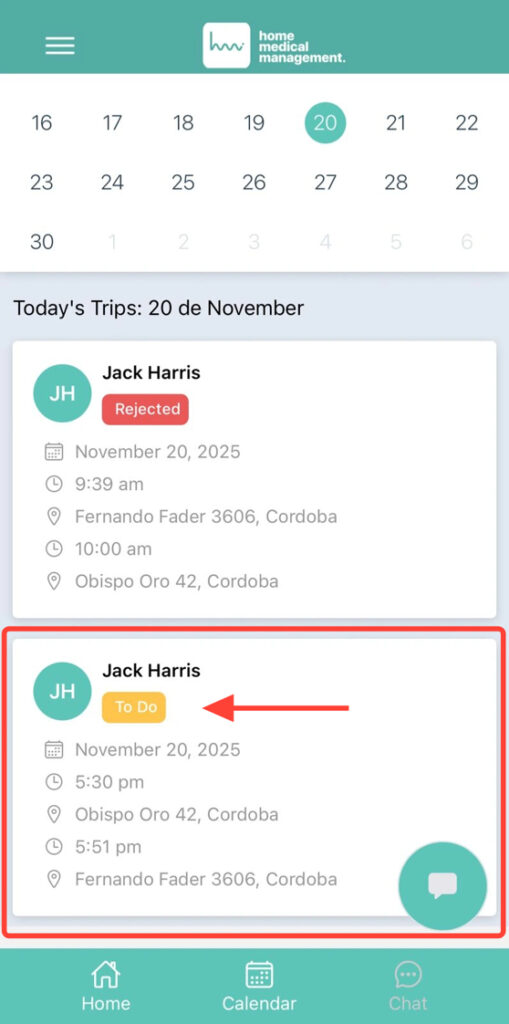
You can start the transfer from Home or from the Calendar. From Home: select the available transfer shown on screen.
2. From Calendar: choose the transfer scheduled for that day.
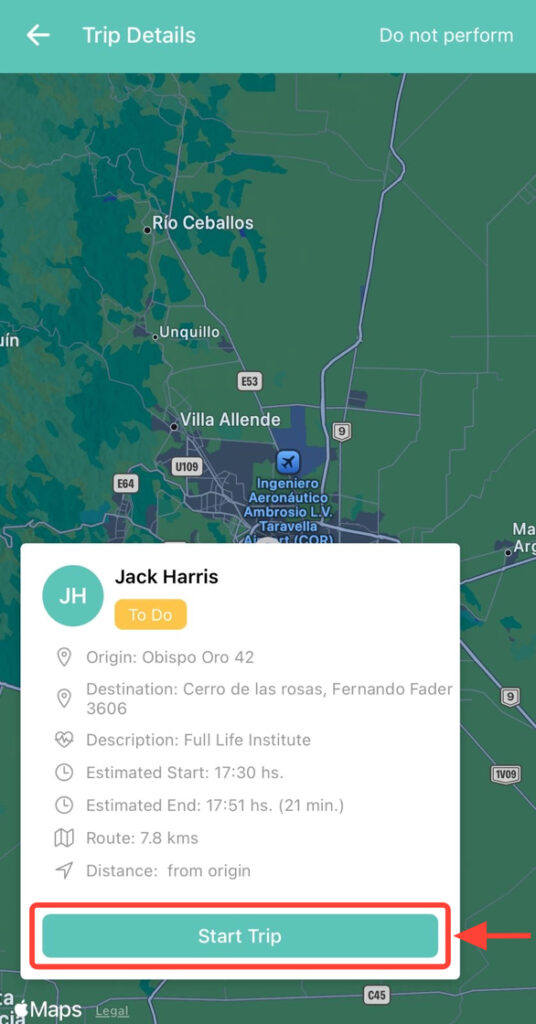
3. Once inside, click Start Transfer.
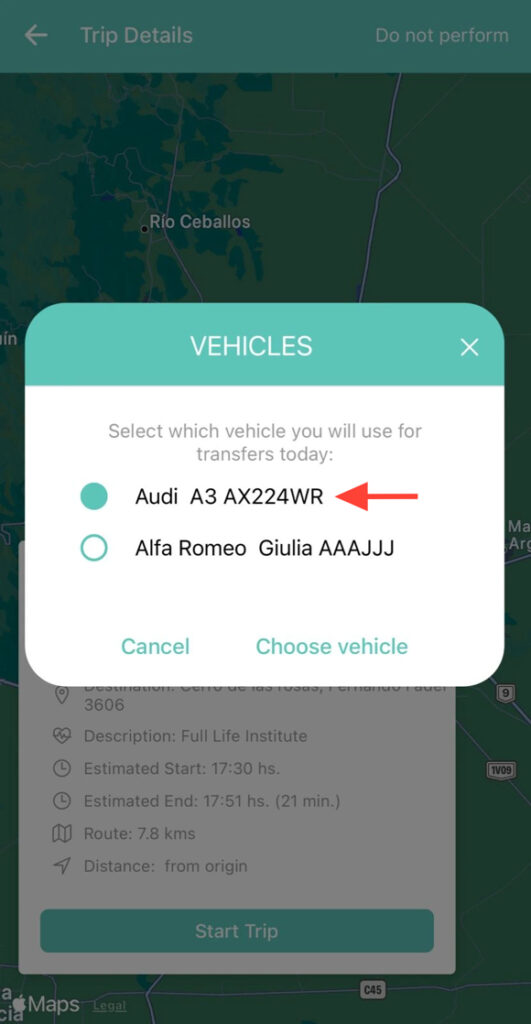
4. Select the vehicle.
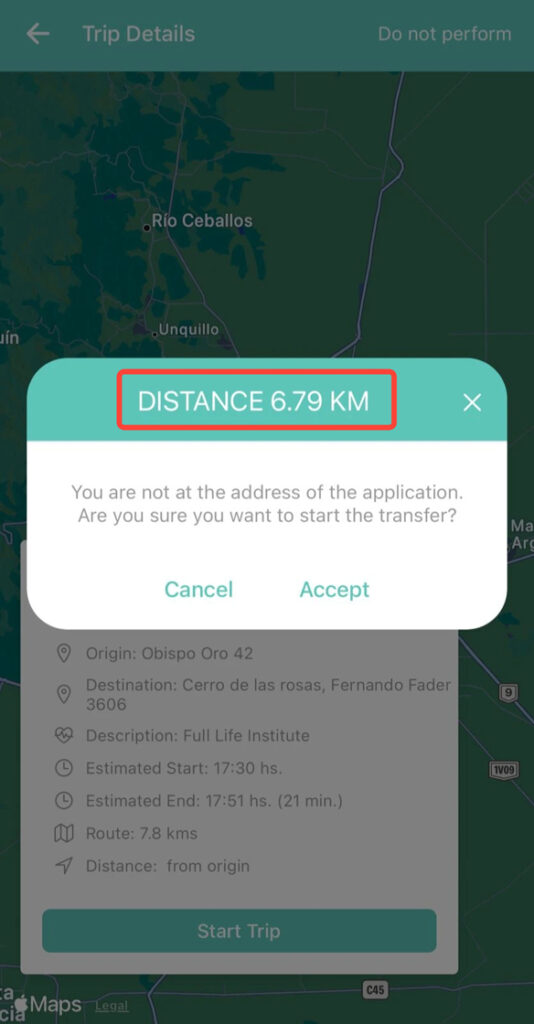
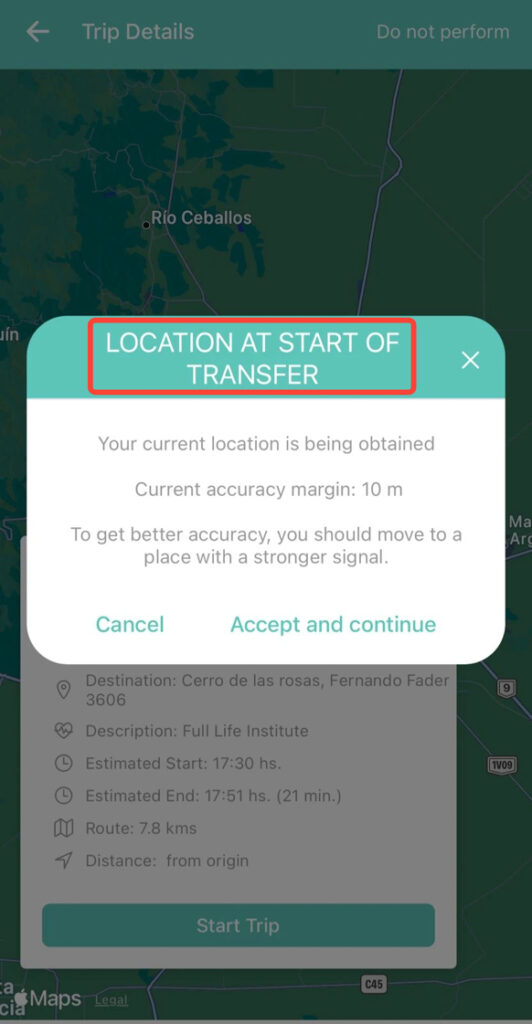
5. The app will display your distance from the patient, as well as the pickup location at the start of the transfer.
6. Also the starting location of the transfer.
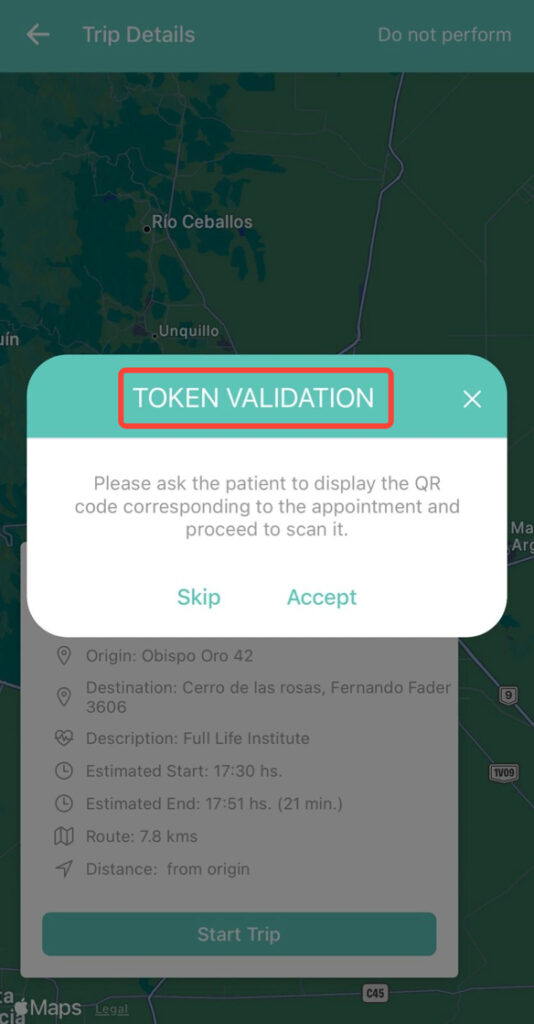
7. You can validate the token by scanning the QR code found in your patient’s app, or you can skip this step.
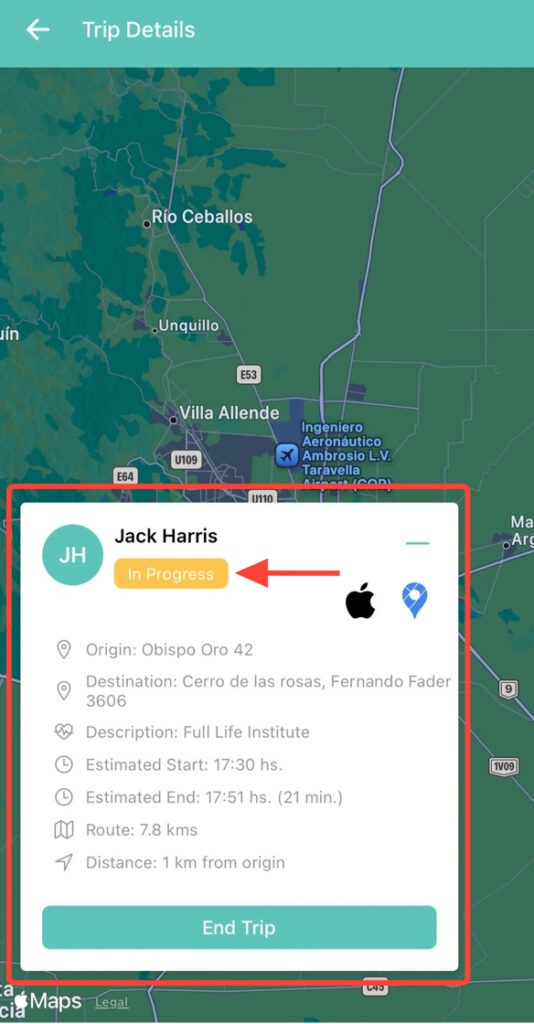
8. The transfer is now in progress. Keep in mind that you cannot start more than one transfer at a time.