HMM Global
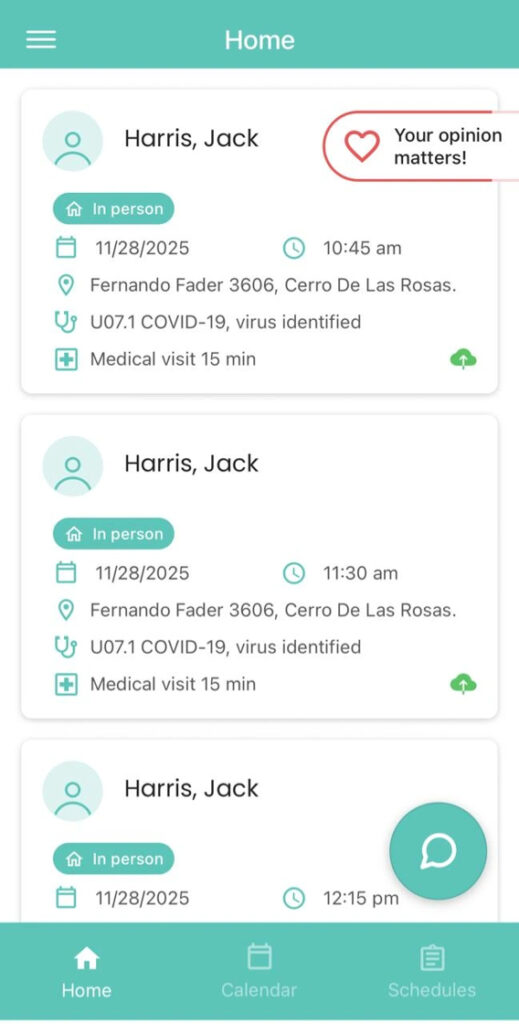
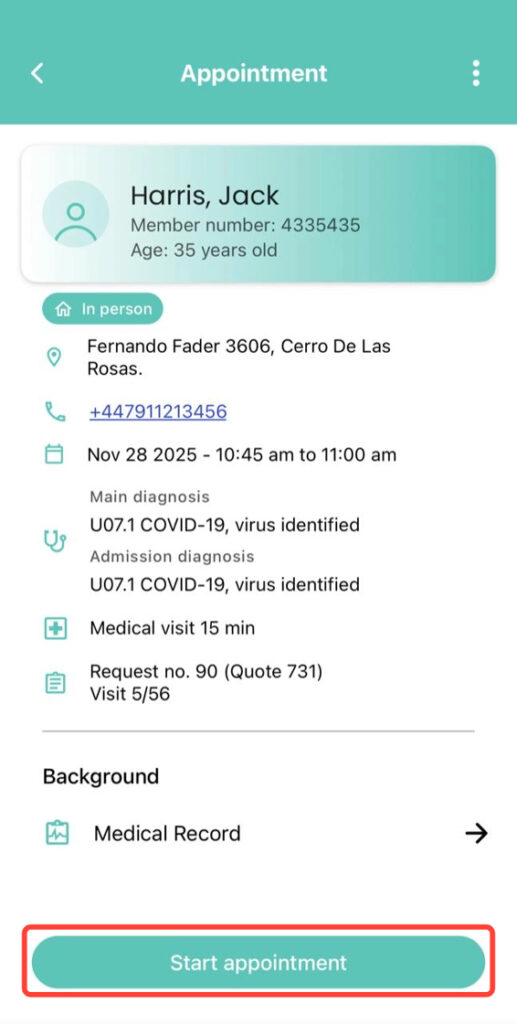
2. Tap Start Appointment.
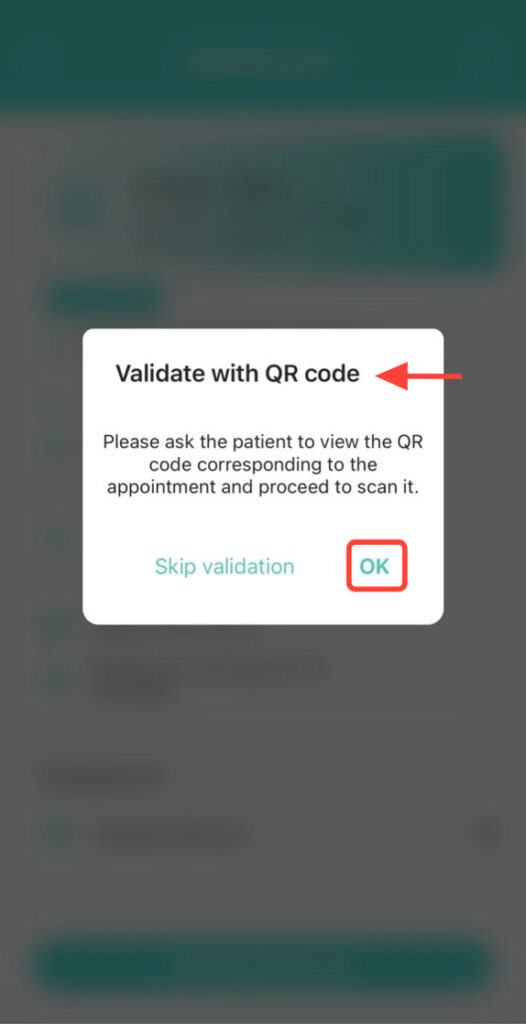
3. In QR Code Validation, tap OK.
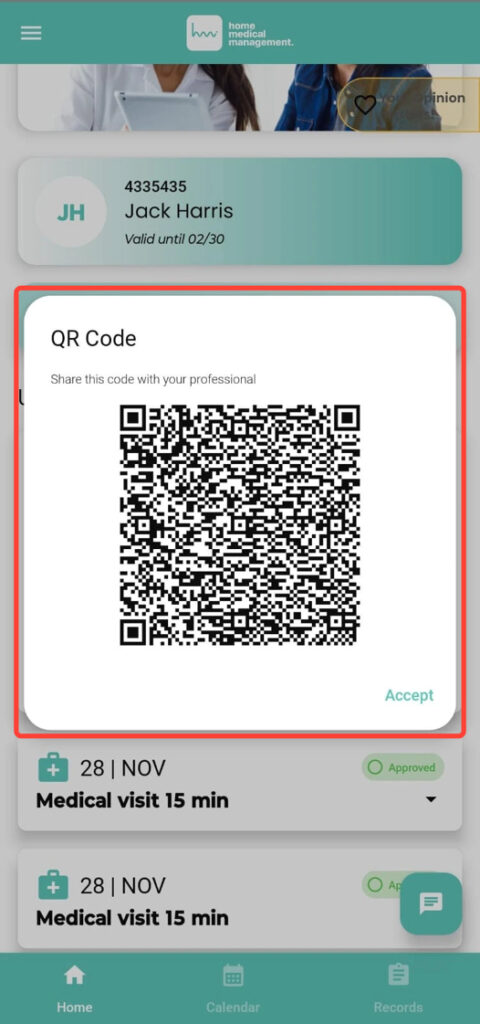
4. The patient will see a QR code in their app. Scan it from your device, making sure it matches the appointment you selected.
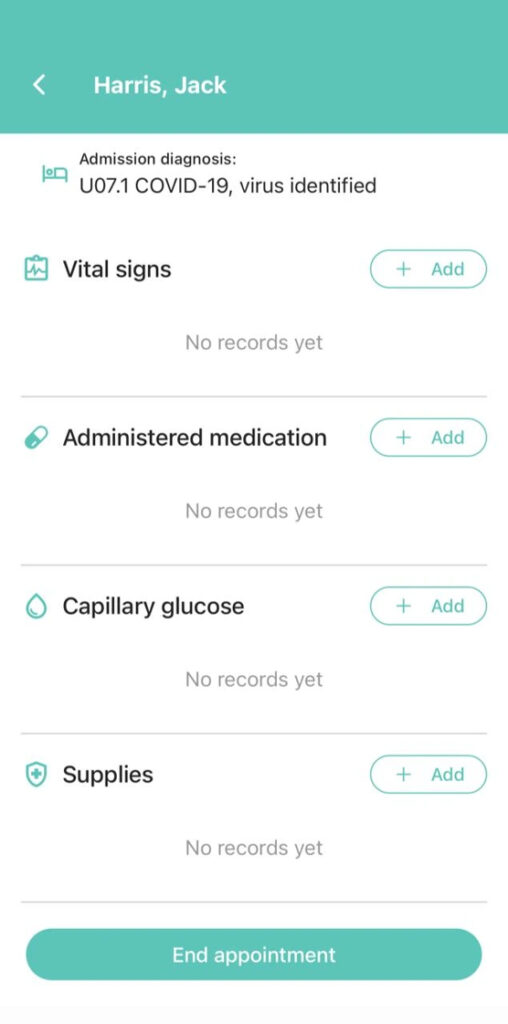
5. Finally, proceed with the appointment.